> For the complete documentation index, see [llms.txt](https://cube.ewelink.cc/llms.txt). Markdown versions of documentation pages are available by appending `.md` to page URLs; this page is available as [Markdown](https://cube.ewelink.cc/feature-exploration/automation-and-scene.md).
# Automation and Scene
Learn how to create automations and manual scenes in CUBE OS to make your smart home more intelligent and autonomous.
CUBE OS allows you to create **two types of automations** with your connected devices:
* **Manual Scenes** - triggered manually by the user.
* **Smart Scenes** - triggered automatically based on conditions or device states.
Both types are created in the same interface, but differ in how they are **activated**.
{% hint style="success" %}
All automations in CUBE OS run and are **stored locally**, ensuring fast, private, and reliable device interactions without relying on the cloud.
{% endhint %}
## 1. Manual Scenes
A **Manual Scene** is triggered directly by you - not by sensors, buttons, or schedules.\
It’s ideal for actions you want to activate on demand, like turning on a set of lights or running a "movie mode".
### Example: Turn On a Wi-Fi Lamp and Set Its Color to Blue
{% stepper %}
{% step %}
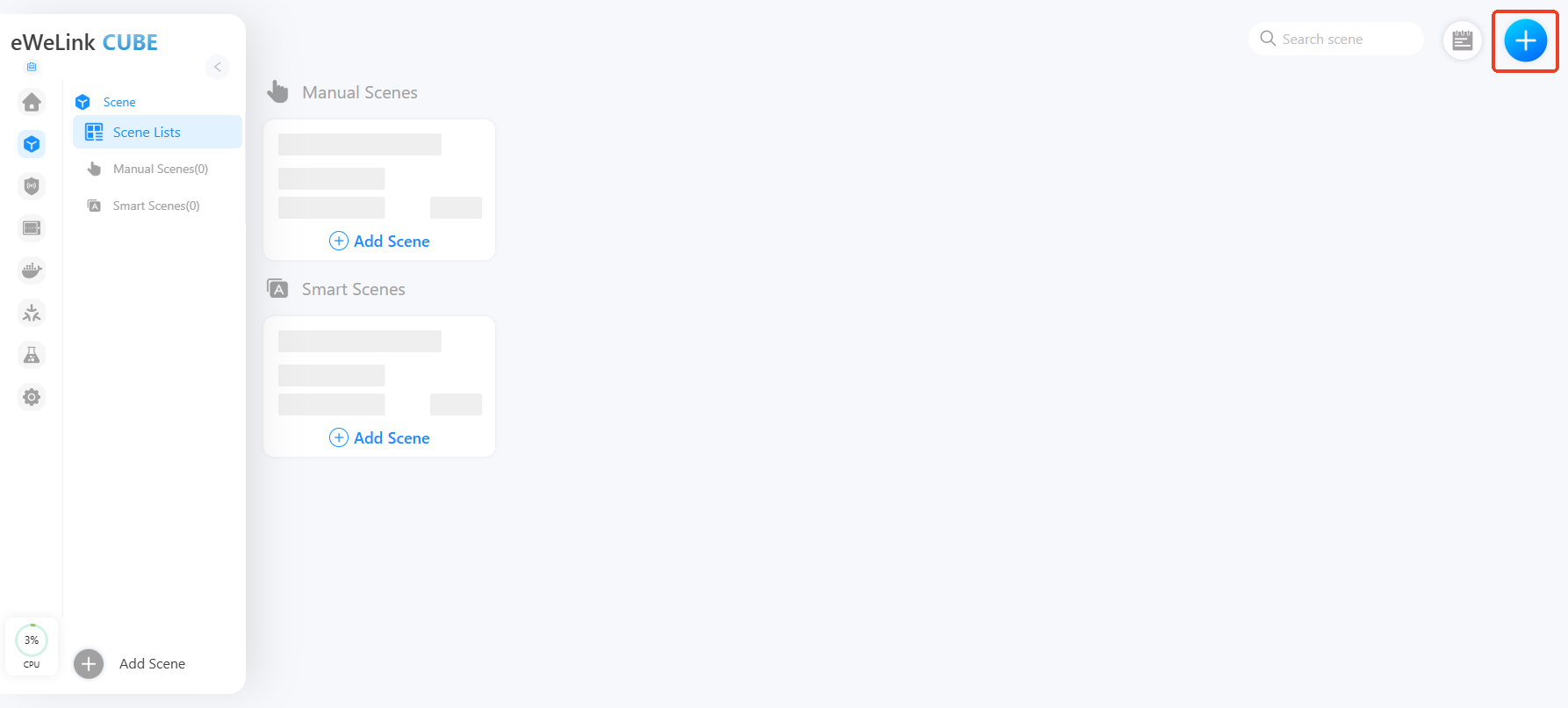
Go to **Scene** and click the **"+"** button to create a new scene.
{% endstep %}
{% step %}
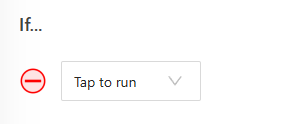
Under **IF**, select **Tap to Run**.
{% endstep %}
{% step %}
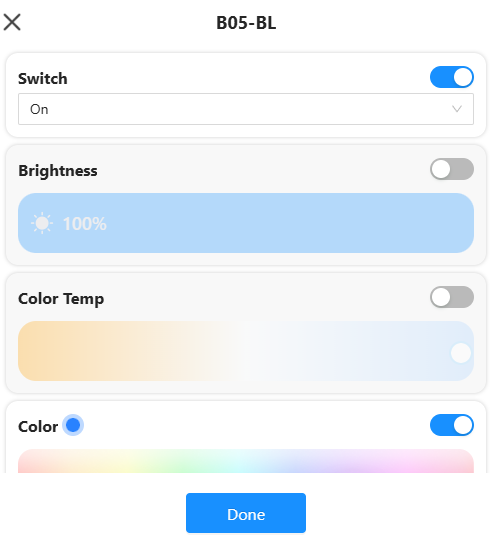
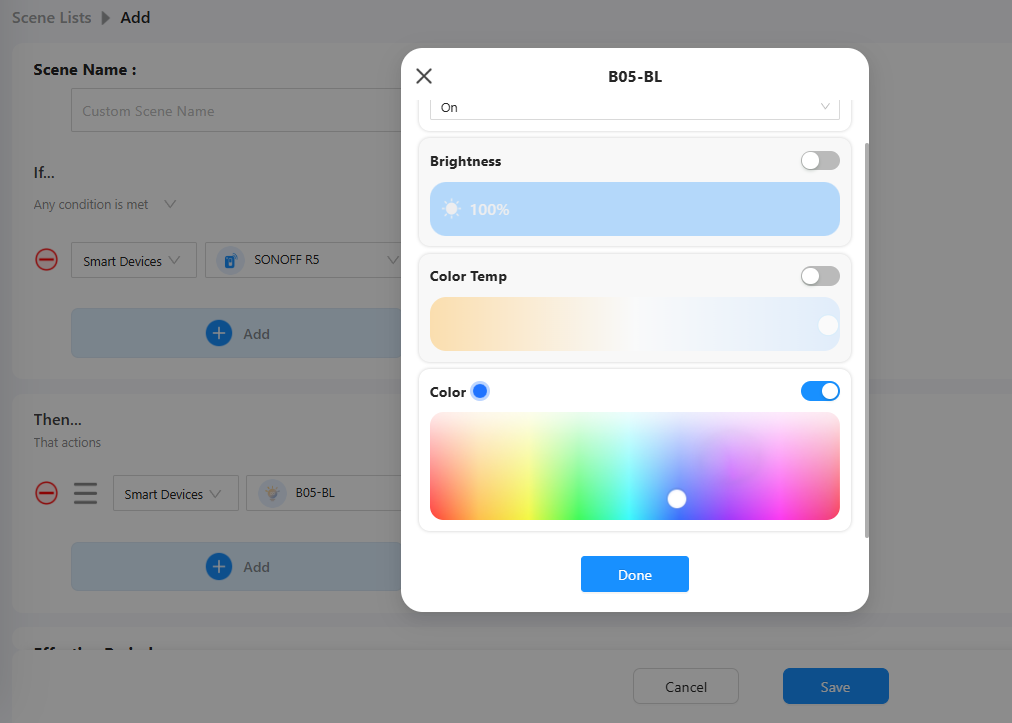
Under **THEN**, choose **Smart Devices → Wi-Fi Lamp**.
{% endstep %}
{% step %}
In the lamp options, set:
**Switch** → On; **Color** → Blue
{% endstep %}
{% step %}
Save the scene.
Now, whenever you manually run this scene, your lamp will turn on and change to blue.
{% endstep %}
{% endstepper %}
## 2. Smart Scenes
A **Smart Scene** runs automatically when certain conditions are met, for example, when a motion sensor is triggered or a temperature threshold is reached.
### Example: Turn On the Lamp When R5 Button is Pressed
{% stepper %}
{% step %}
Go to **Scene → Add Scene**.
{% endstep %}
{% step %}
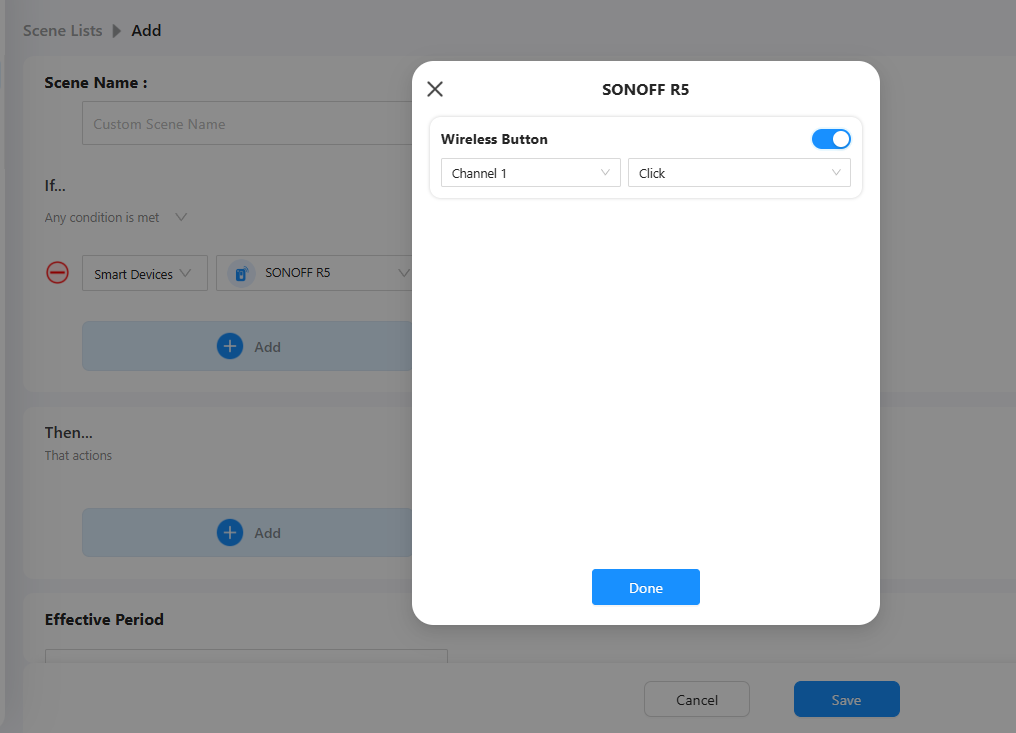
Under **IF**, select **Smart Device → SONOFF R5 Button → Click**.
{% endstep %}
{% step %}
Under **THEN**, select **Smart Devices → Wi-Fi Lamp → Switch On → Set Color Blue**.
{% endstep %}
{% step %}
Save the scene.
Now, pressing the Zigbee button will automatically turn on your lamp.
{% endstep %}
{% endstepper %}
{% hint style="info" %}
You can combine multiple IF and THEN conditions to create complex automations - for example, adding a time condition (Only at night) to the same scene.
{% endhint %}
## 3. View Automation History
CUBE OS records when each automation was executed.\
To check automation history:
{% stepper %}
{% step %}
Open the automation you want to review.
{% endstep %}
{% step %}
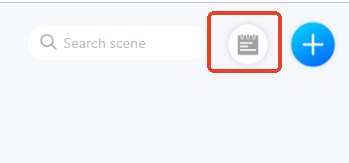
Click the **History** icon.
{% endstep %}
{% step %}
Use the **filter** to view events by time or condition.
{% endstep %}
{% endstepper %}
This helps you monitor whether automations are working as expected.
---
# Agent Instructions
This documentation is published with GitBook. GitBook is the documentation platform designed so that both humans and AI agents can read, navigate, and reason over technical content effectively. Learn more at gitbook.com.
## Querying This Documentation
If you need additional information that is not directly available in this page, you can query the documentation dynamically by asking a question.
Perform an HTTP GET request on the current page URL with the `ask` query parameter, and the optional `goal` query parameter:
```
GET https://cube.ewelink.cc/feature-exploration/automation-and-scene.md?ask=&goal=
```
`ask` is the immediate question: it should be specific, self-contained, and written in natural language.
`goal` is optional and describes the broader end goal you are ultimately trying to accomplish on behalf of the user. GitBook uses it to tailor the answer towards what is most useful for that goal.
The response will contain a direct answer to the question and relevant excerpts and sources from the documentation.
Use this mechanism when the answer is not explicitly present in the current page, you need clarification or additional context, or you want to retrieve related documentation sections.