# 自动化与场景

CUBE OS 允许您创建 **两种类型的自动化** 与您连接的设备：

* **手动场景** - 由用户手动触发。
* **智能场景** - 根据条件或设备状态自动触发。

两种类型都在相同界面中创建，但在它们被 **激活**.&#x20;

{% hint style="success" %}
CUBE OS 中的所有自动化均在本地 **运行并存储**，确保快速、私密且可靠的设备交互，无需依赖云端。
{% endhint %}

## 1. 手动场景

一个 **手动场景** 由您直接触发——不是由传感器、按键或计划触发。\
它非常适合按需激活的操作，例如打开一组灯或运行“观影模式”。

### 示例：打开一盏 Wi-Fi 灯并将其颜色设置为蓝色

{% stepper %}
{% step %}
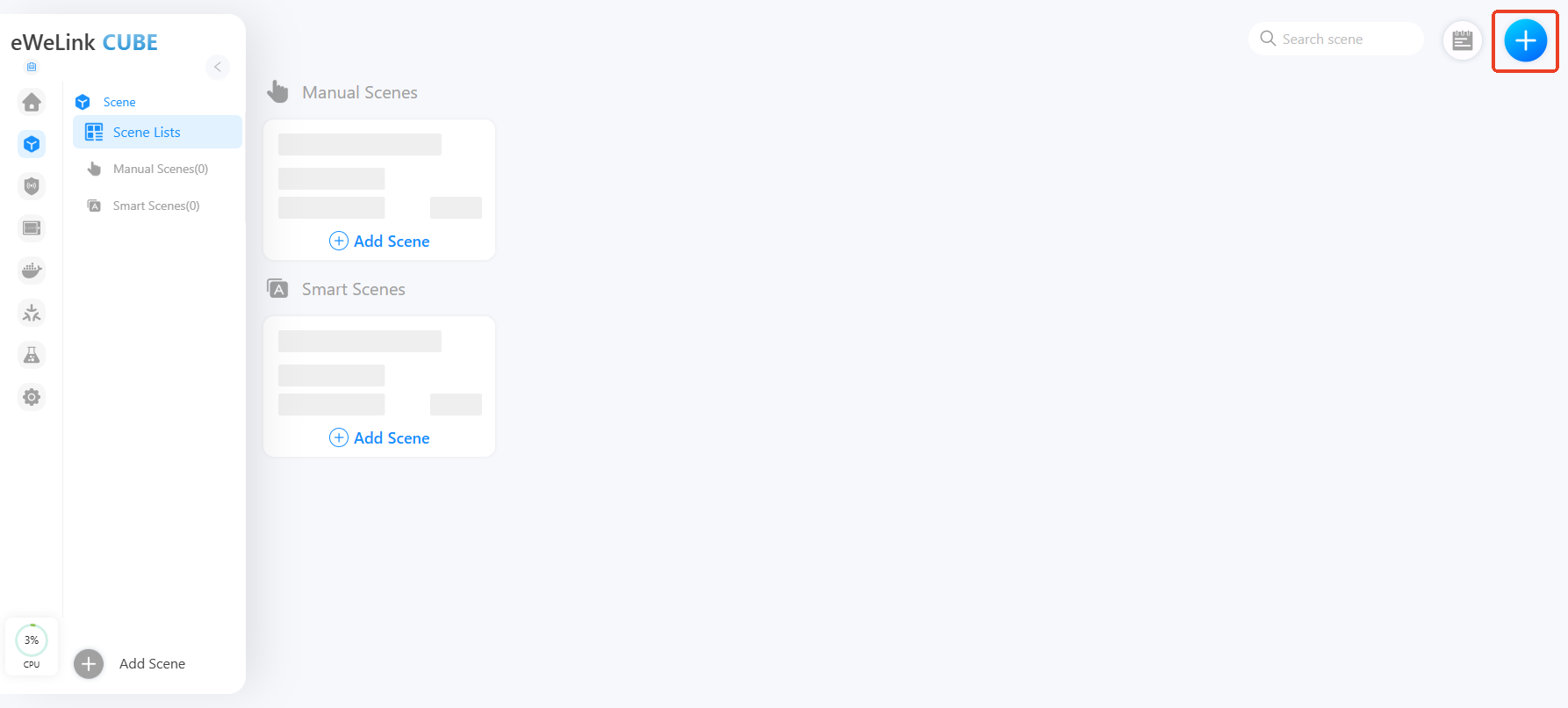
前往 **场景** 并点击 **"+"** 按钮以创建新场景。

<figure><img src="/files/5ebd2cc7eb8d6ec17cdc5b3dcd3e45e2bd04f8c1" alt=""><figcaption></figcaption></figure>
{% endstep %}

{% step %}
在 **如果**下，选择 **点击运行**.

<div align="left"><figure><img src="/files/66a81c65ab5eb4d5b998c8deb9f74e28e9a235e0" alt=""><figcaption></figcaption></figure></div>
{% endstep %}

{% step %}
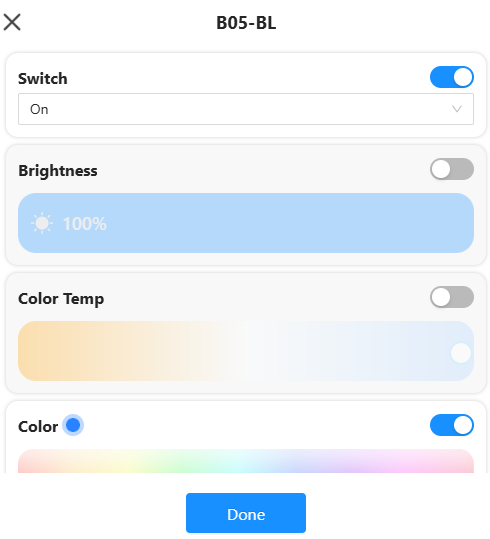
在 **然后**，选择 **智能设备 → Wi-Fi 灯**.
{% endstep %}

{% step %}
在灯的选项中，设置：

**开关** → 开； **颜色** → 蓝色

<div align="left"><figure><img src="/files/37e01fef329f86fecfb85d193edd52bef902a955" alt=""><figcaption></figcaption></figure></div>
{% endstep %}

{% step %}
保存场景。

现在，每当您手动运行此场景时，灯将会开启并变为蓝色。
{% endstep %}
{% endstepper %}

## 2. 智能场景

一个 **智能场景** 在满足某些条件时会自动运行，例如当检测到运动传感器触发或达到温度阈值时。

### 示例：按下 R5 按钮时打开灯

{% stepper %}
{% step %}
前往 **场景 → 添加场景**.
{% endstep %}

{% step %}
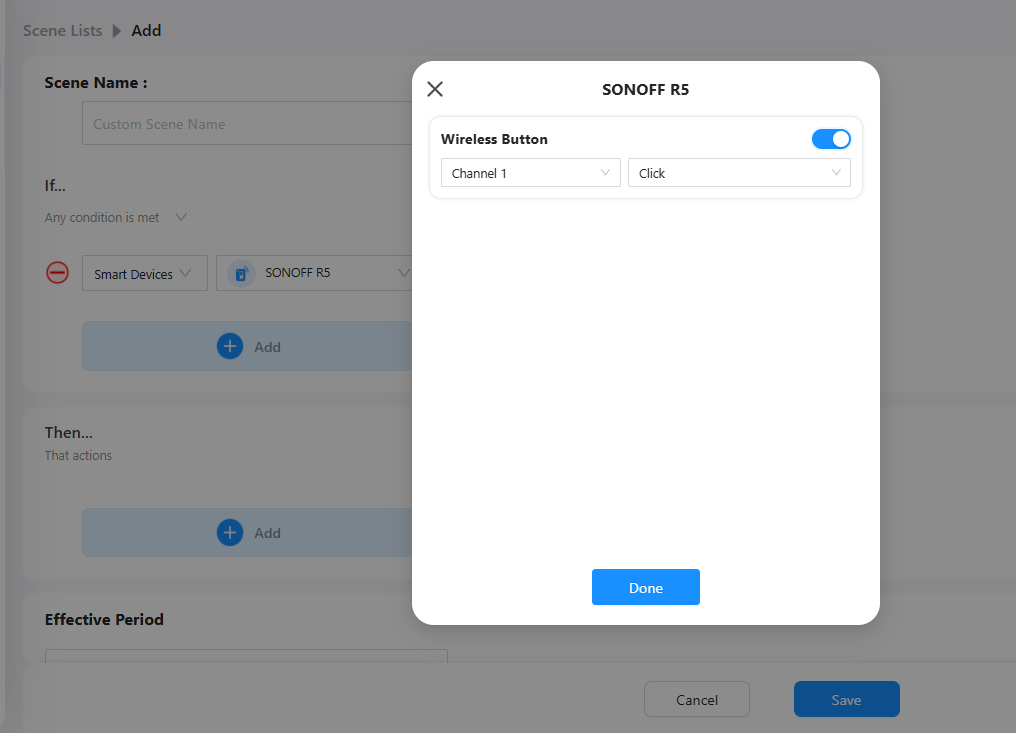
在 **如果**下，选择 **智能设备 → SONOFF R5 按钮 → 单击**.

<figure><img src="/files/30e7381abb6efde3c9950eb575b9e93040b00e39" alt=""><figcaption></figcaption></figure>
{% endstep %}

{% step %}
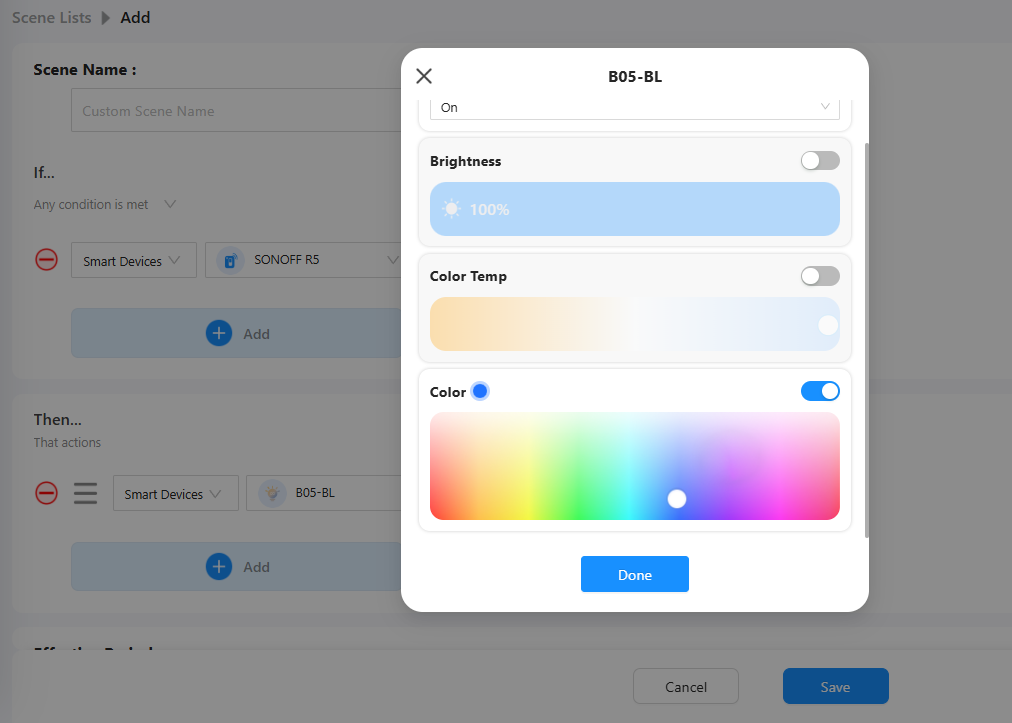
在 **然后**下，选择 **智能设备 → Wi-Fi 灯 → 打开 → 设置颜色为蓝色**.

<figure><img src="/files/6c7f2218646a069182b47a0aa162ff93fe4c008f" alt=""><figcaption></figcaption></figure>
{% endstep %}

{% step %}
保存场景。

现在，按下 Zigbee 按钮将自动打开您的灯。
{% endstep %}
{% endstepper %}

{% hint style="info" %}
您可以组合多个“如果”和“则”条件以创建复杂的自动化——例如在同一场景中添加时间条件（仅在夜间）。
{% endhint %}

## 3. 查看自动化记录

CUBE OS 会记录每个自动化何时执行。\
要查看自动化记录：

{% stepper %}
{% step %}
打开您想要查看的自动化。

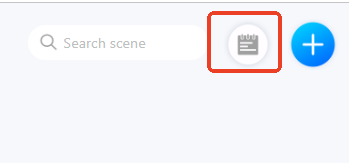
<div align="left"><figure><img src="/files/561002a54f8f09a1fa99d17d5d68fbdad8343c4d" alt=""><figcaption></figcaption></figure></div>
{% endstep %}

{% step %}
点击 **历史记录** 图标。
{% endstep %}

{% step %}
使用 **筛选器** 按时间或条件查看事件。
{% endstep %}
{% endstepper %}

这有助于您监控自动化是否按预期运行。


---

# Agent Instructions: Querying This Documentation

If you need additional information that is not directly available in this page, you can query the documentation dynamically by asking a question.

Perform an HTTP GET request on the current page URL with the `ask` query parameter:

```
GET https://cube.ewelink.cc/english-zh/gong-neng-tan-suo/zi-dong-hua-yu-chang-jing.md?ask=<question>
```

The question should be specific, self-contained, and written in natural language.
The response will contain a direct answer to the question and relevant excerpts and sources from the documentation.

Use this mechanism when the answer is not explicitly present in the current page, you need clarification or additional context, or you want to retrieve related documentation sections.