> For the complete documentation index, see [llms.txt](https://cube.ewelink.cc/llms.txt). Markdown versions of documentation pages are available by appending `.md` to page URLs; this page is available as [Markdown](https://cube.ewelink.cc/english-zh/gong-neng-tan-suo/tou-ping-yi-biao-pan.md).
# 投屏仪表盘
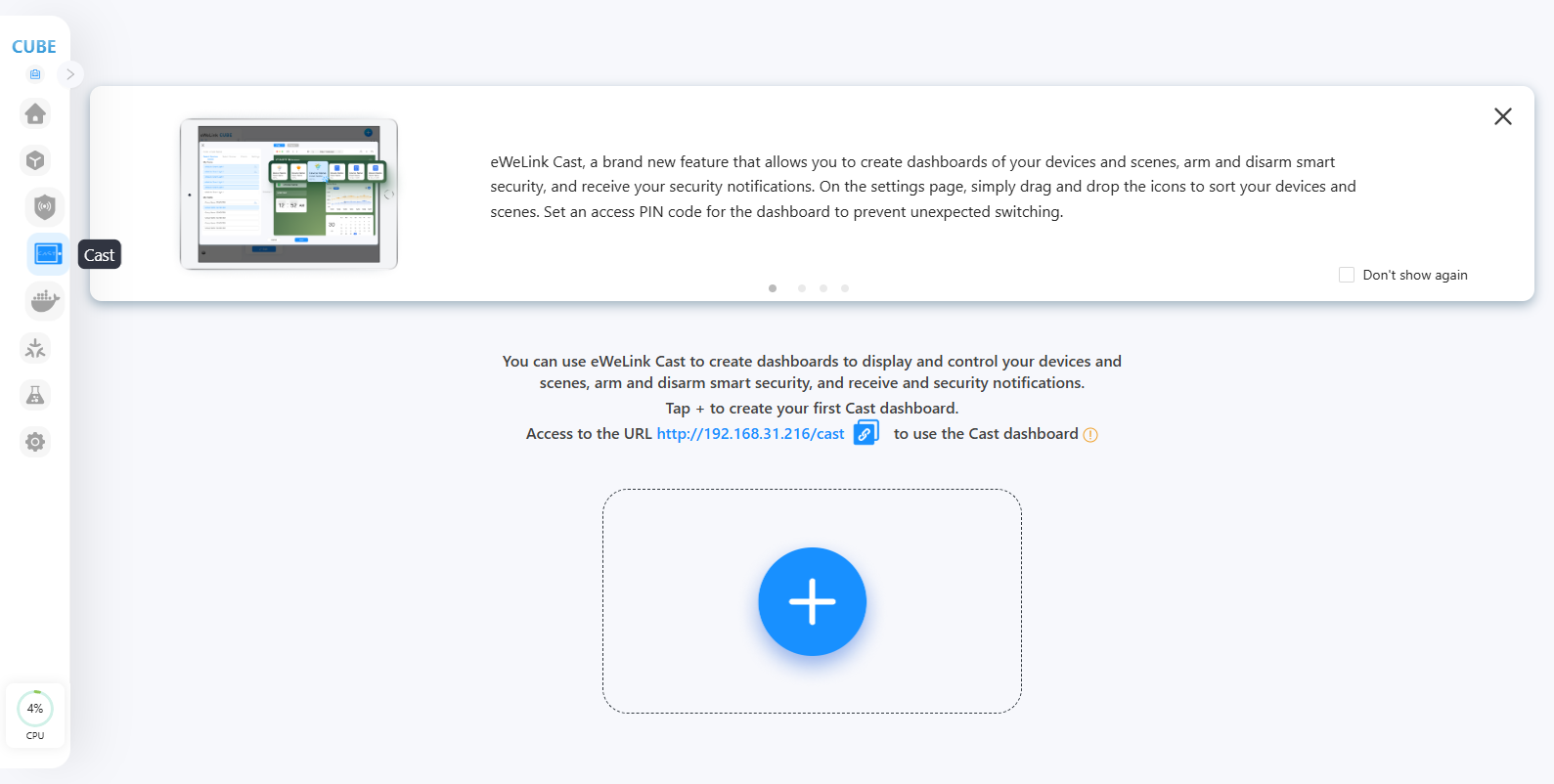
Cast 允许您创建设备与场景的仪表板、布防与撤防智能安防,并接收安全通知。在设置页面,只需拖放图标即可排序您的设备与场景。为仪表板设置访问 PIN 码以防止意外切换。
## **创建您的 CAST 仪表板**
{% stepper %}
{% step %}
请通过浏览器访问 CUBE OS。点击左侧的 CAST 菜单。
{% endstep %}
{% step %}
点击“+”按钮以创建新的仪表板。
{% endstep %}
{% step %}
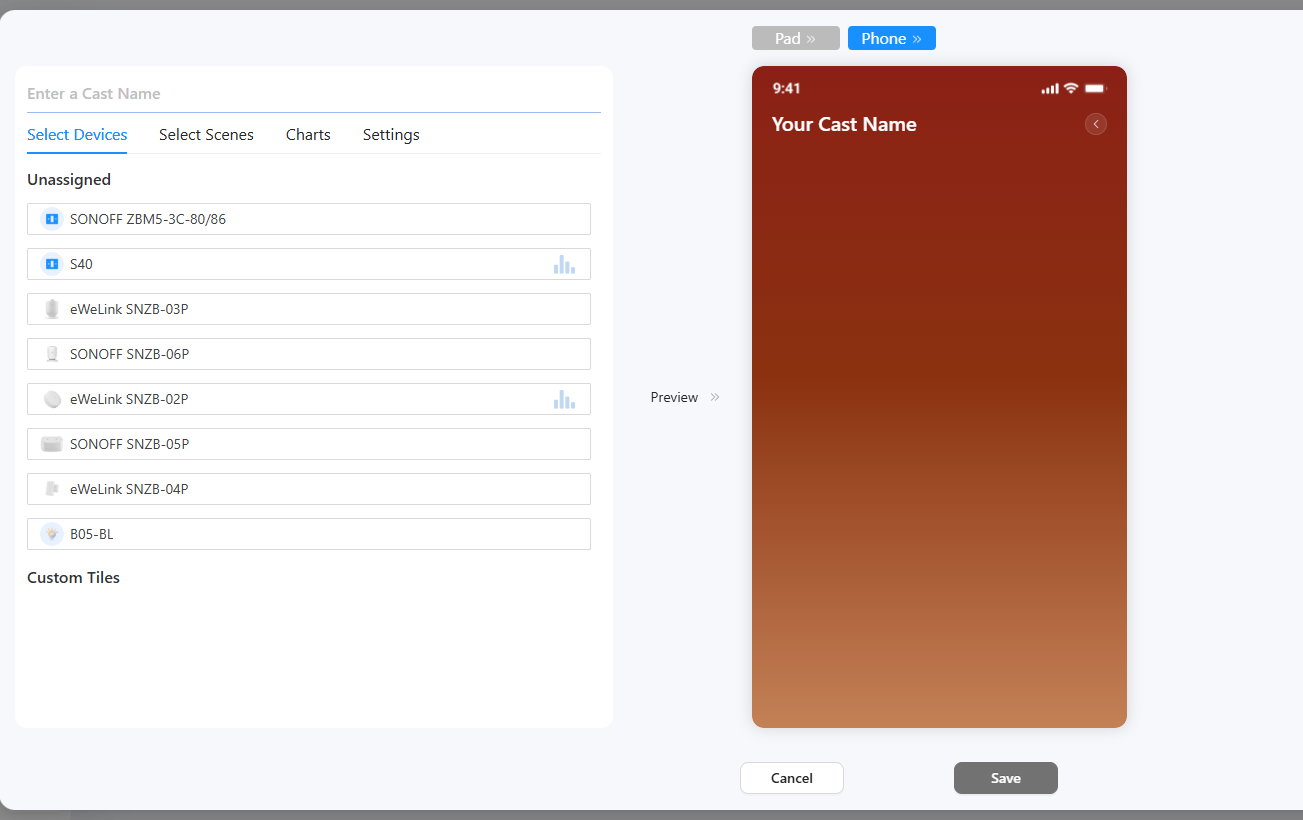
输入仪表板名称,选择您的设备、手动场景和图表。
{% endstep %}
{% step %}
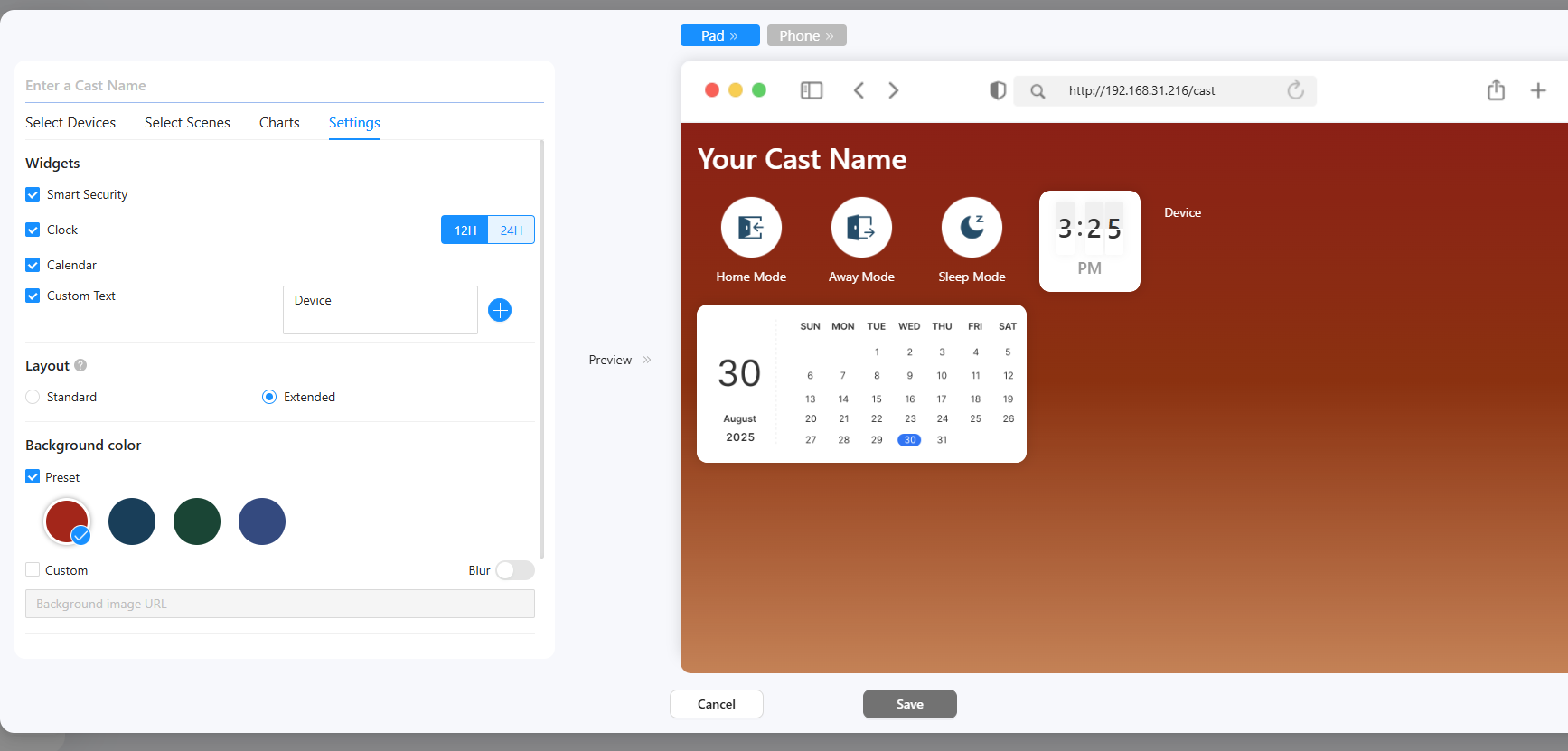
在设置选项卡中,选择您需要的小部件。
* 对于自定义文本,请在文本框中输入您的文本。
* 扩展的 CAST 面板布局,带来更灵活的仪表板体验。
* 为仪表板选择背景颜色。
* 如有必要,为仪表板设置 PIN 码。(如果设置,则进入或退出仪表板时需要输入 PIN 码。)
{% endstep %}
{% step %}
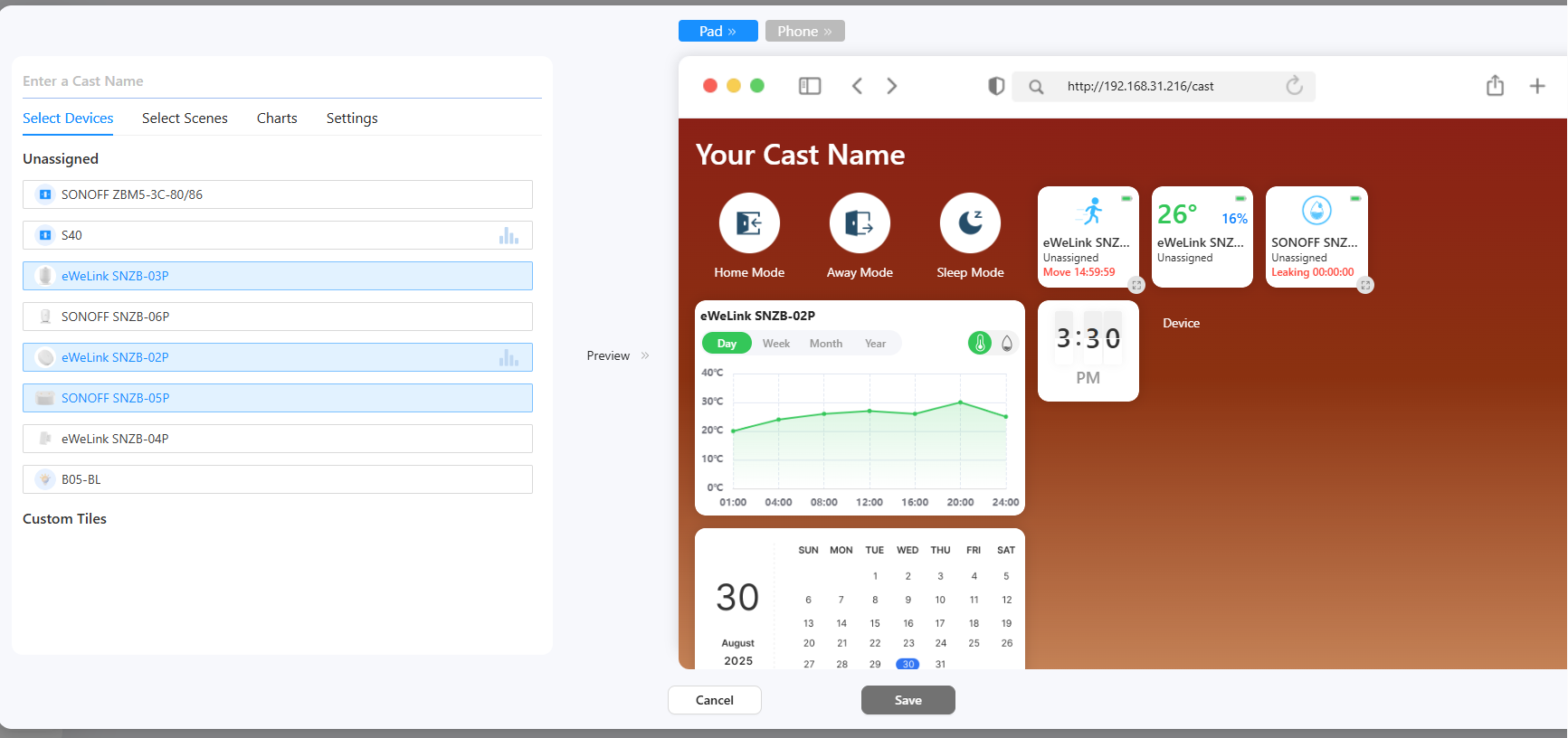
在预览区域,拖放面板以排列它们。并点击调整大小图标在不同尺寸之间切换。
{% endstep %}
{% step %}
点击保存按钮,仪表板即创建完成。
{% endstep %}
{% step %}
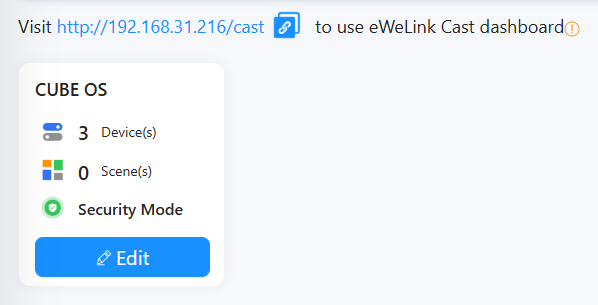
您可以在任何网页浏览器(PC 或手机/平板)上访问 CUBE 的 IP/cast 来使用该仪表板。
{% endstep %}
{% endstepper %}
---
# Agent Instructions
This documentation is published with GitBook. GitBook is the documentation platform designed so that both humans and AI agents can read, navigate, and reason over technical content effectively. Learn more at gitbook.com.
## Querying This Documentation
If you need additional information that is not directly available in this page, you can query the documentation by asking a question.
Perform an HTTP GET request on the following URL with the `ask` and `goal` query parameters:
```
GET https://cube.ewelink.cc/english-zh/gong-neng-tan-suo/tou-ping-yi-biao-pan.md?ask=&goal=
```
`ask` is the immediate question: it should be specific, self-contained, and written in natural language.
`goal` is what the user is ultimately trying to achieve, the reason they need the answer. Sharing it helps GitBook give you a better, more relevant answer. A goal is most helpful when it describes the outcome the user wants rather than restating the question. For example, with `ask=how do I create an API token`, a goal like `automate deployments from our CI pipeline` lets GitBook tailor the answer to that use case.
The response will contain a direct answer to the question and relevant excerpts and sources from the documentation.
Use this mechanism when the answer is not explicitly present in the current page, you need clarification or additional context, or you want to retrieve related documentation sections.