# 开关 - SONOFF TX
最令人兴奋的功能之一是 **CUBE OS** 是 **Matter 桥接器**。\
这为许多较旧的 WiFi 设备带来了第二次生命。它们现在可以加入诸如 **Apple 家庭** 的生态系统,而无需依赖 eWeLink 云,并可以通过 Apple Home、Siri、HomePod、Apple Watch 以及其他 Apple 生态系入口进行控制。
在这篇文章中,我将分享我的亲身体验:让我的旧 **SONOFF TX 壁式开关** 重获新生,并通过 CUBE OS 将其连接到 Apple 生态系统。
## 步骤
{% stepper %}
{% step %}
我拿起一个之前闲置的 TX 壁式开关,将其接到天花板灯上,准备看看这种体验效果如何。
[](https://europe1.discourse-cdn.com/flex005/uploads/ewelinkforum/original/2X/6/6e9e9397b053576eb006192454fd197cb3188a88.jpeg)
{% endstep %}
{% step %}
在我的绿联 NAS 上,我安装了 **CUBE OS** 在一个虚拟机内并让它顺利运行。\
安装教程可以在 [安装与用户指南。](https://cube.ewelink.cc/english-zh/ru-men-zhi-nan/quickstart)
[](https://europe1.discourse-cdn.com/flex005/uploads/ewelinkforum/original/2X/f/f52c37571015509e4feefbd732043d29acfdef2c.jpeg)
{% endstep %}
{% step %}
一旦 CUBE OS 启动并运行,我通过以下方式访问界面: `cube.local` (或 CUBE 的 IP)。\
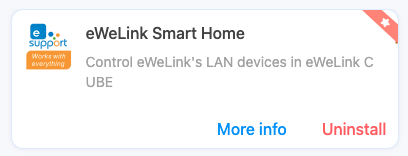
从侧边栏,我点击了 **Docker(鲸鱼图标)**,安装了 **eWeLink 智能家居插件**,使用我的 eWeLink 账号登录,并将我的 WiFi 设备同步到 CUBE OS。\
此步骤会从云端拉取控制密钥——完成后,你就可以与 eWeLink 云说再见了。
[](https://europe1.discourse-cdn.com/flex005/uploads/ewelinkforum/original/2X/a/a188db46379d41bf306e3f1db82b2d1eb19af9ff.png)
{% endstep %}
{% step %}
接下来,在 CUBE OS 侧边栏中,我点击了 **Matter** 图标。按照界面指南,我生成了一个配对码,然后在 iPhone 的 **Apple 家庭** 应用中扫描了它。\
这感觉与添加 HomeKit 设备完全相同——没有额外步骤。\
如果你看到类似 *“正在添加未经认证的设备”*的提示,只需继续即可。(CUBE OS 正在进行 CSA 认证。)
[](https://europe1.discourse-cdn.com/flex005/uploads/ewelinkforum/original/2X/1/1b01e7f3e7ceb8362c4d742bc7e963161316aa15.png)
{% endstep %}
{% step %}
我自定义了设备名称并将其分配到一个房间——与任何 HomeKit 设备的步骤相同。
[](https://europe1.discourse-cdn.com/flex005/uploads/ewelinkforum/original/2X/4/469395c49b845ebc6f857ad58fca773eabacac77.jpeg)
{% endstep %}
{% step %}
现在是有趣的部分——通过 Apple Home 和不同设备上的 Siri 控制我的 TX 开关:
* iPhone Apple Home
* iPhone Siri
* iPad Apple Home
* iPad Siri
* HomePod mini Siri
* Apple Watch Apple Home
* Apple Watch Siri
{% endstep %}
{% endstepper %}
## **感想**
整个过程很简单。最“复杂”的部分是把 CUBE OS 安装到我的 NAS,但即便如此,有教程也很直观。一旦 CUBE OS 运行,其他所有步骤只需按照界面操作即可。
我那台旧的 **TX 壁式开关** 现在感觉焕然一新,已在 Apple 生态系统内完全正常工作。
强烈建议大家尝试 CUBE OS,为你们的旧 WiFi 设备带来第二次生命!
---
# Agent Instructions: Querying This Documentation
If you need additional information that is not directly available in this page, you can query the documentation dynamically by asking a question.
Perform an HTTP GET request on the current page URL with the `ask` query parameter:
```
GET https://cube.ewelink.cc/english-zh/bo-ke/jiang-nin-de-she-bei-tian-jia-dao-apple-jia-ting/kai-guan-sonoff-tx.md?ask=
```
The question should be specific, self-contained, and written in natural language.
The response will contain a direct answer to the question and relevant excerpts and sources from the documentation.
Use this mechanism when the answer is not explicitly present in the current page, you need clarification or additional context, or you want to retrieve related documentation sections.
