> For the complete documentation index, see [llms.txt](https://cube.ewelink.cc/llms.txt). Markdown versions of documentation pages are available by appending `.md` to page URLs; this page is available as [Markdown](https://cube.ewelink.cc/english-th/feature-exploration/cast-dashboard.md).
# แดชบอร์ดแคสต์
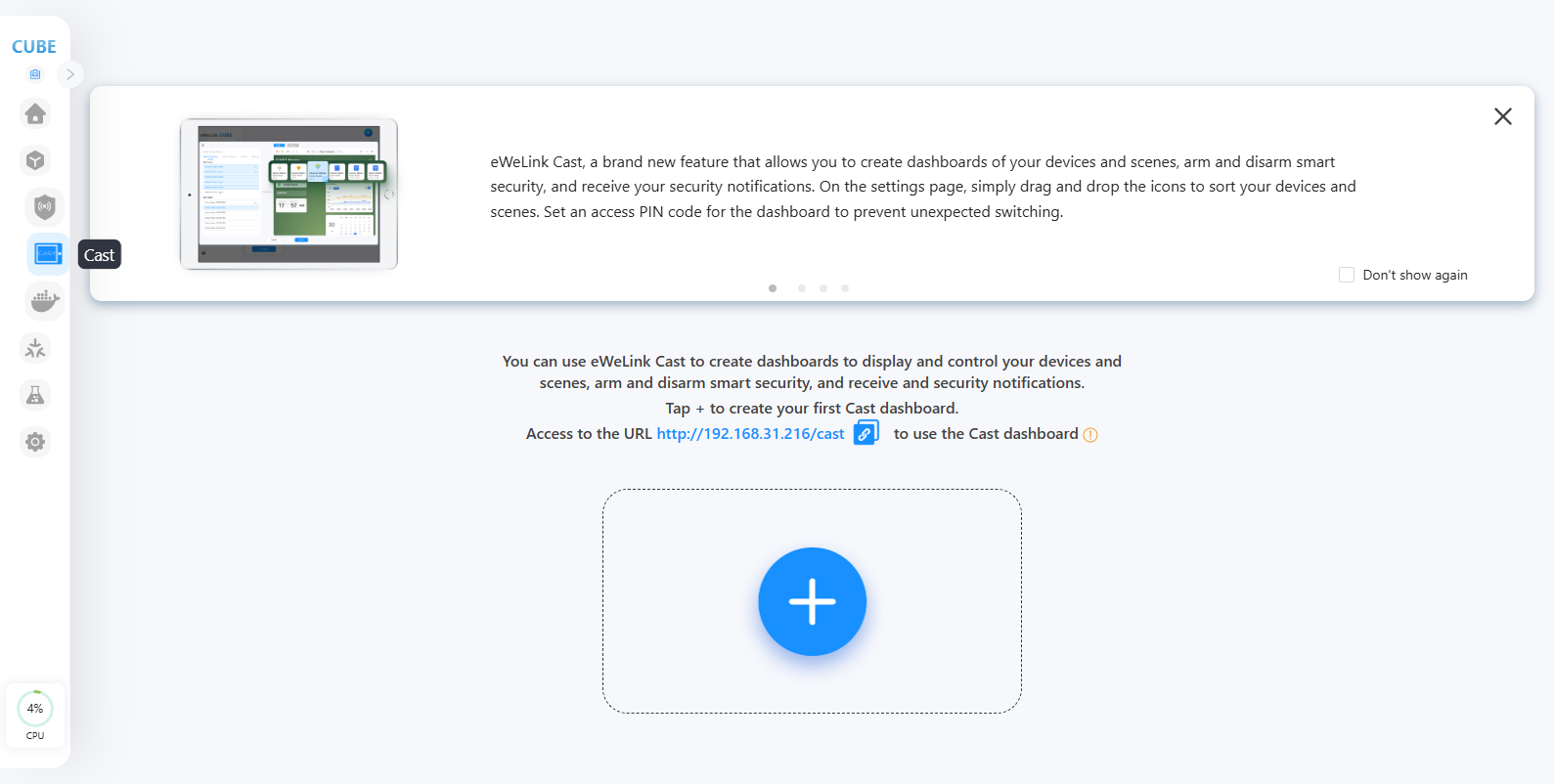
Cast ช่วยให้คุณสร้างแดชบอร์ดของอุปกรณ์และฉากของคุณ ติดอาวุธและยกเลิกติดอาวุธระบบรักษาความปลอดภัยอัจฉริยะ และรับการแจ้งเตือนความปลอดภัยของคุณ ในหน้าการตั้งค่า เพียงลากและวางไอคอนเพื่อจัดเรียงอุปกรณ์และฉากของคุณ ตั้งรหัส PIN สำหรับแดชบอร์ดเพื่อป้องกันการสลับโดยไม่คาดคิด
## **สร้างแดชบอร์ด CAST ของคุณ**
{% stepper %}
{% step %}
โปรดเยี่ยมชม CUBE OS ผ่านเบราว์เซอร์ คลิกที่เมนู CAST ทางด้านซ้าย
{% endstep %}
{% step %}
คลิกปุ่ม '+' เพื่อสร้างแดชบอร์ดใหม่
{% endstep %}
{% step %}
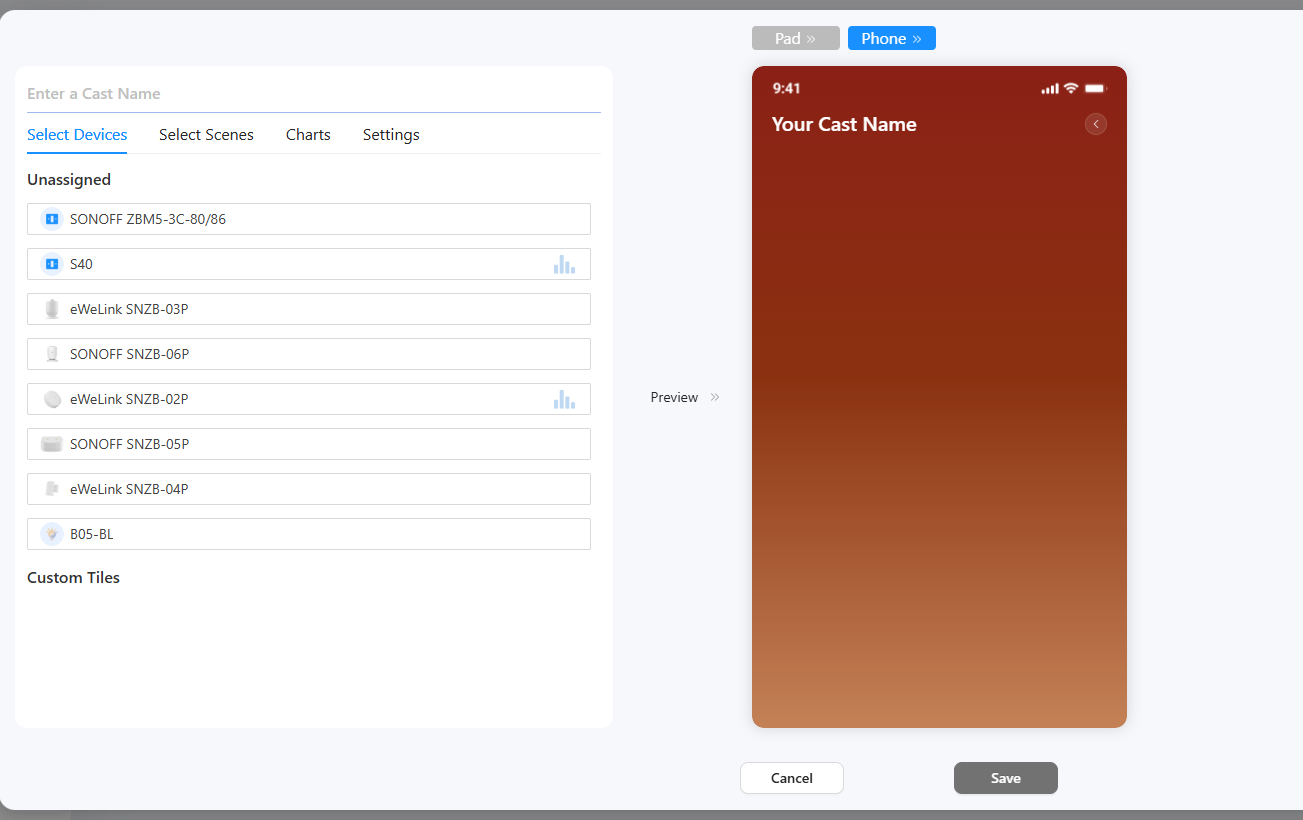
ป้อนชื่อสำหรับแดชบอร์ด เลือกอุปกรณ์ ฉากที่ตั้งค่าเอง และแผนภูมิของคุณ
{% endstep %}
{% step %}
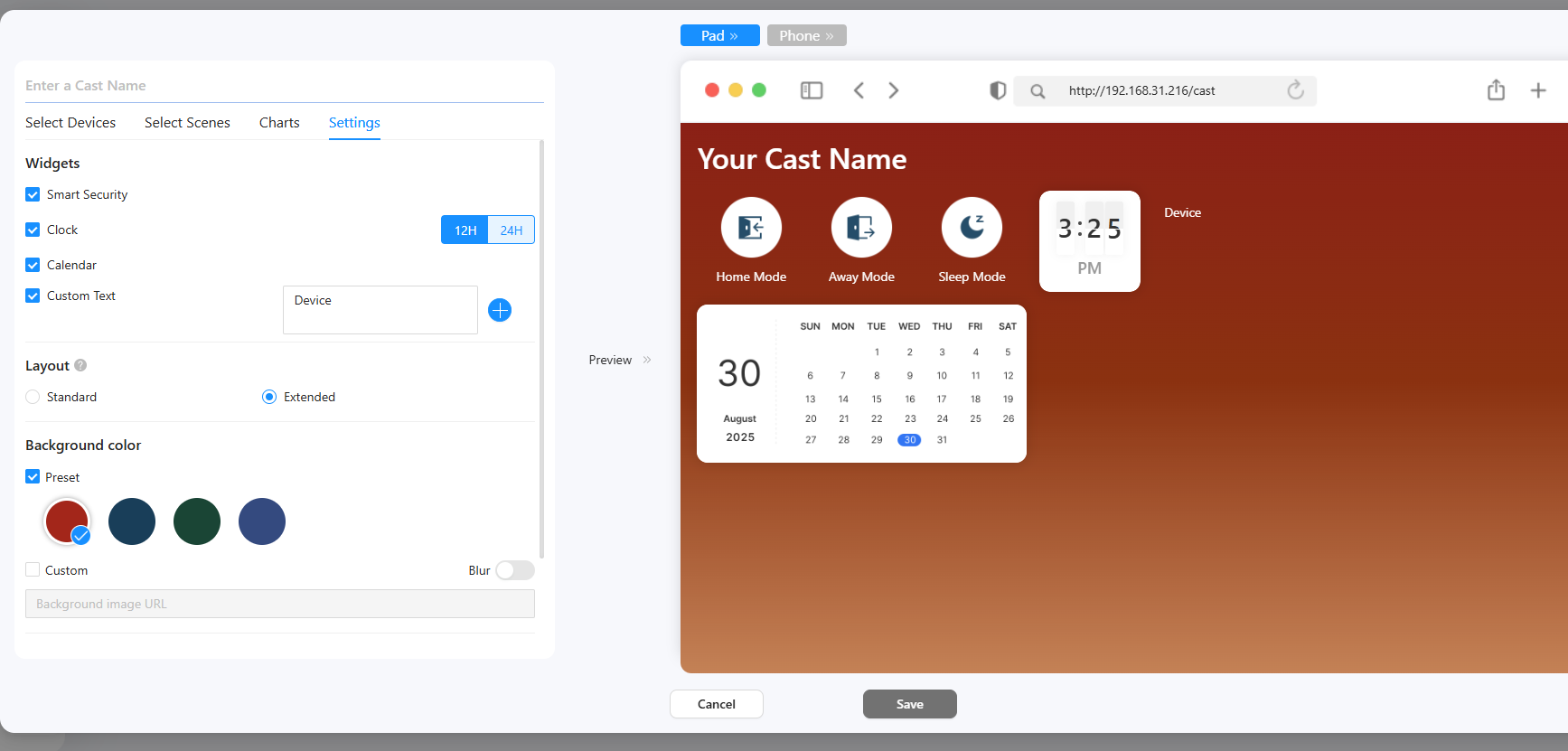
ในแท็บการตั้งค่า ให้เลือกวิดเจ็ตที่คุณต้องการ
* สำหรับข้อความแบบกำหนดเอง โปรดป้อนข้อความของคุณลงในกล่องข้อความ
* เลย์เอาต์แผง CAST ขยายเพื่อประสบการณ์แดชบอร์ดที่ยืดหยุ่นมากขึ้น
* เลือกสีพื้นหลังสำหรับแดชบอร์ด
* ตั้งรหัส PIN สำหรับแดชบอร์ดหากจำเป็น (หากตั้งไว้ เมื่อคุณเข้าหรือออกจากแดชบอร์ด คุณต้องป้อนรหัส PIN)
{% endstep %}
{% step %}
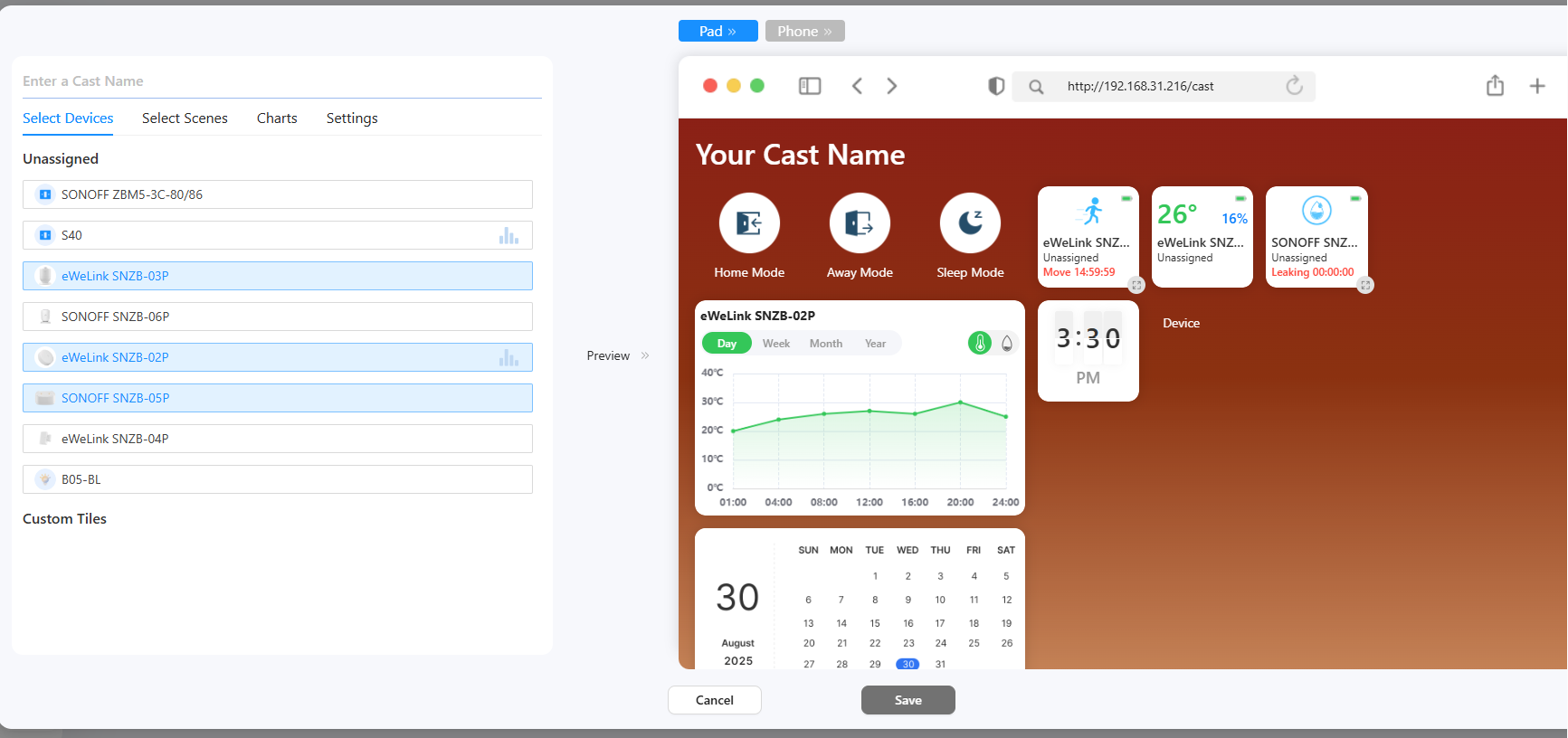
ในพื้นที่ตัวอย่าง ลากและวางไทล์เพื่อตั้งค่าจัดเรียง และคลิกไอคอนปรับขนาดเพื่อเปลี่ยนขนาดต่างๆ
{% endstep %}
{% step %}
คลิกปุ่มบันทึก แล้วแดชบอร์ดจะถูกสร้าง
{% endstep %}
{% step %}
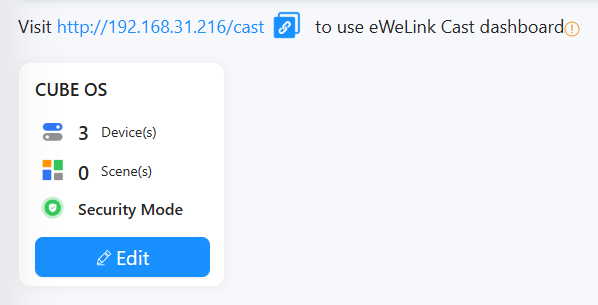
คุณสามารถไปที่ IP/cast ของ CUBE เพื่อใช้แดชบอร์ดบนเว็บเบราว์เซอร์ใดก็ได้ (บนพีซีหรือโทรศัพท์/แท็บเล็ต)
{% endstep %}
{% endstepper %}
---
# Agent Instructions
This documentation is published with GitBook. GitBook is the documentation platform designed so that both humans and AI agents can read, navigate, and reason over technical content effectively. Learn more at gitbook.com.
## Querying This Documentation
If you need additional information that is not directly available in this page, you can query the documentation by asking a question.
Perform an HTTP GET request on the following URL with the `ask` and `goal` query parameters:
```
GET https://cube.ewelink.cc/english-th/feature-exploration/cast-dashboard.md?ask=&goal=
```
`ask` is the immediate question: it should be specific, self-contained, and written in natural language.
`goal` is what the user is ultimately trying to achieve, the reason they need the answer. Sharing it helps GitBook give you a better, more relevant answer. A goal is most helpful when it describes the outcome the user wants rather than restating the question. For example, with `ask=how do I create an API token`, a goal like `automate deployments from our CI pipeline` lets GitBook tailor the answer to that use case.
The response will contain a direct answer to the question and relevant excerpts and sources from the documentation.
Use this mechanism when the answer is not explicitly present in the current page, you need clarification or additional context, or you want to retrieve related documentation sections.