> For the complete documentation index, see [llms.txt](https://cube.ewelink.cc/llms.txt). Markdown versions of documentation pages are available by appending `.md` to page URLs; this page is available as [Markdown](https://cube.ewelink.cc/english-pl/poznawanie-funkcji/panel-cast.md).
# Panel Cast
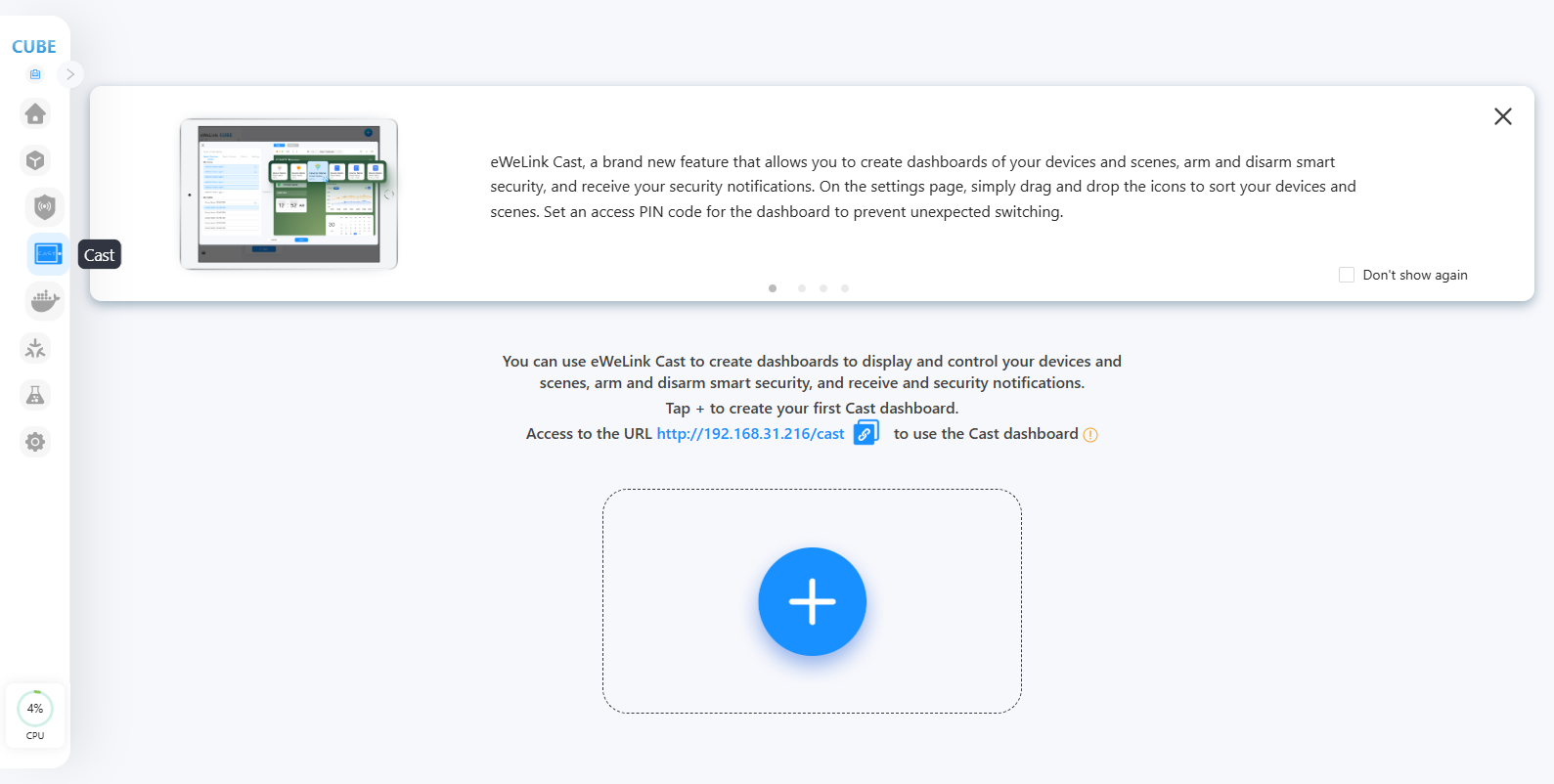
Cast umożliwia tworzenie pulpitów nawigacyjnych z twoich urządzeń i scen, uzbrajanie i rozbrajanie inteligentnego systemu bezpieczeństwa oraz odbieranie powiadomień o bezpieczeństwie. Na stronie ustawień przeciągnij i upuść ikony, aby posortować swoje urządzenia i sceny. Ustaw kod PIN dostępu do pulpitu, aby zapobiec nieoczekiwanemu przełączaniu.
## **Utwórz swój pulpit CAST**
{% stepper %}
{% step %}
Odwiedź CUBE OS przez przeglądarkę. Kliknij menu CAST po lewej stronie.
{% endstep %}
{% step %}
Kliknij przycisk „+”, aby utworzyć nowy pulpit.
{% endstep %}
{% step %}
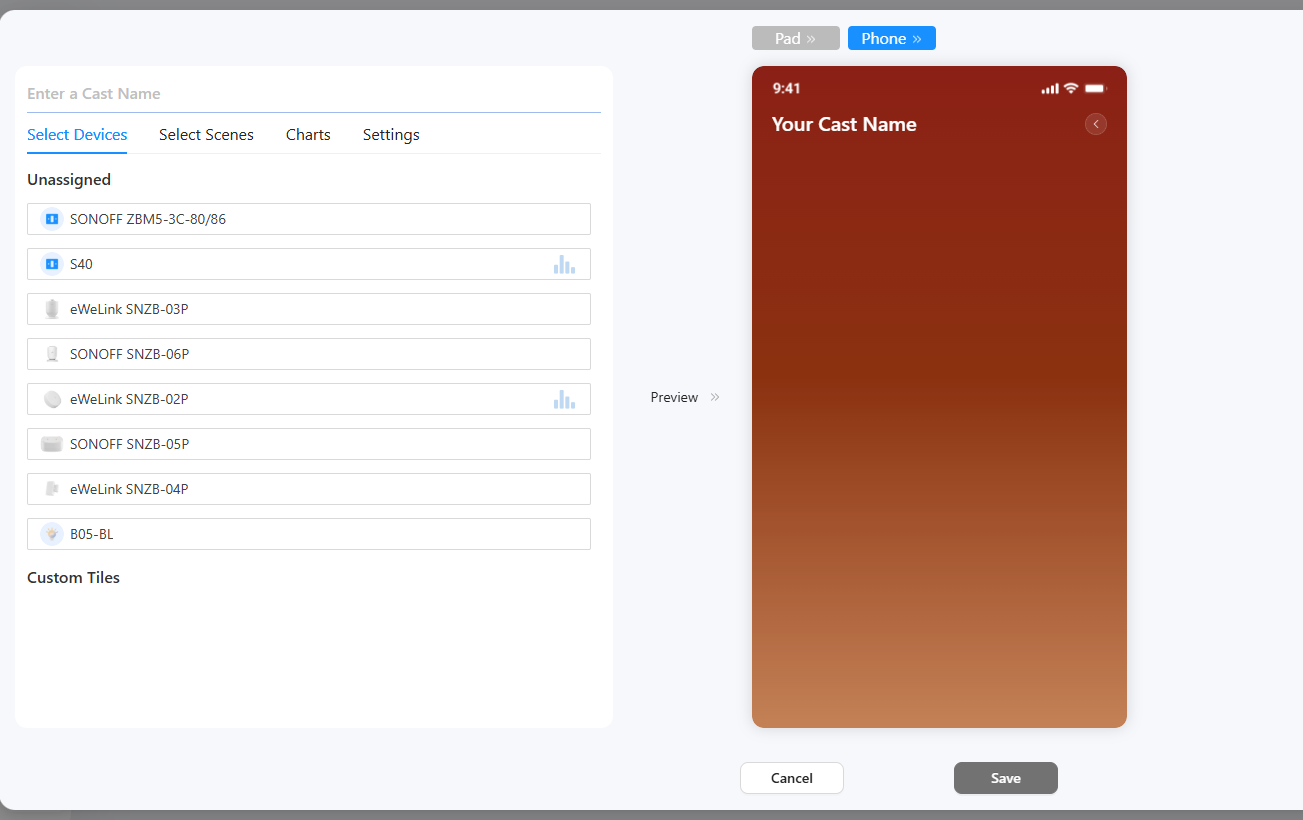
Wpisz nazwę pulpitu, wybierz swoje urządzenia, ręczne sceny i wykresy.
{% endstep %}
{% step %}
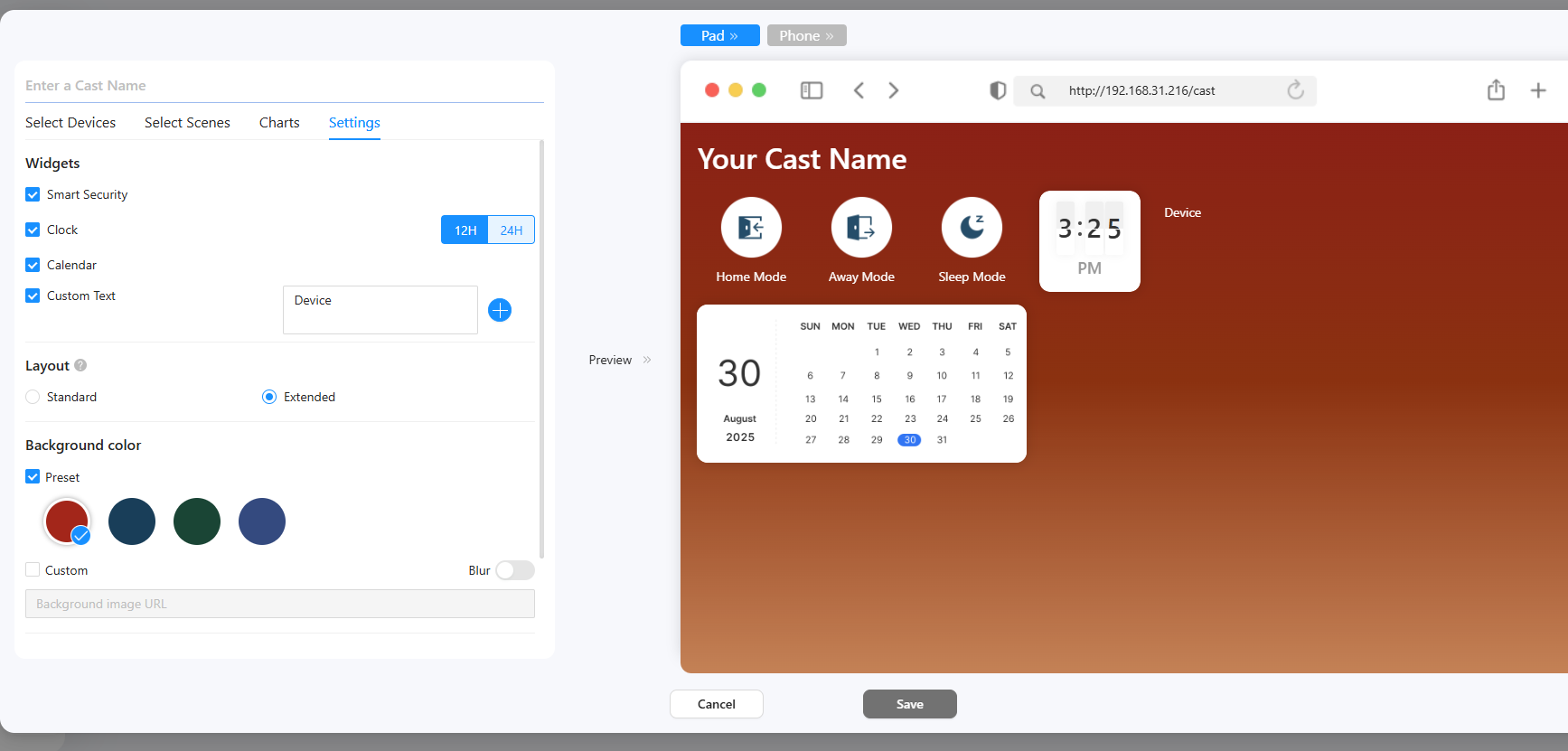
Na karcie ustawień wybierz potrzebne widżety.
* Dla niestandardowego tekstu wpisz swój tekst w polu tekstowym.
* Rozszerzone układy paneli CAST dla bardziej elastycznego doświadczenia pulpitu.
* Wybierz kolor tła pulpitu.
* Ustaw kod PIN dla pulpitu, jeśli to konieczne. (Jeśli ustawiony, przy wchodzeniu lub wychodzeniu z pulpitu należy wprowadzić kod PIN.)
{% endstep %}
{% step %}
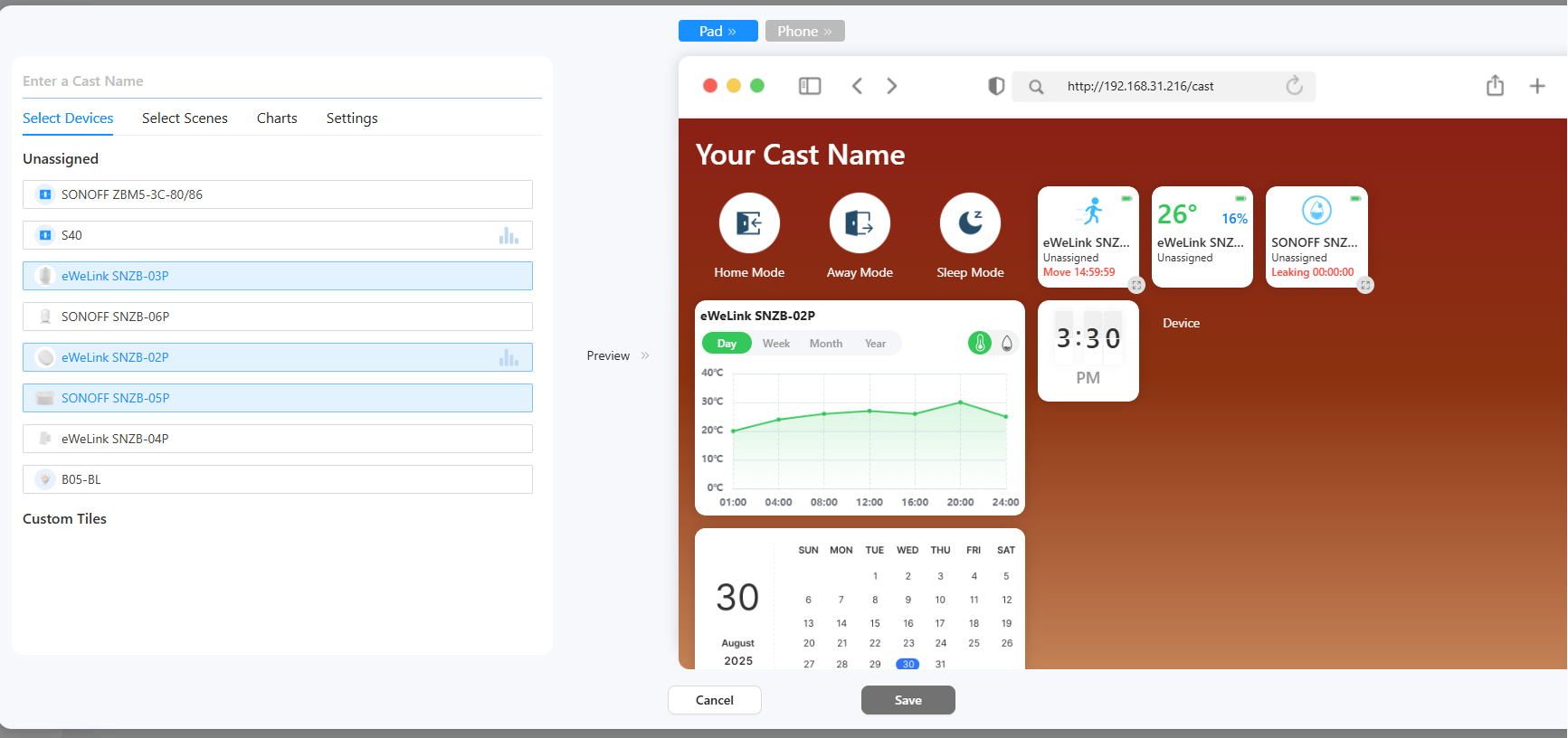
W obszarze podglądu przeciągaj i upuszczaj kafelki, aby je uporządkować. Kliknij ikonę zmiany rozmiaru, aby przełączać się między różnymi rozmiarami.
{% endstep %}
{% step %}
Kliknij przycisk Zapisz, a pulpit zostanie utworzony.
{% endstep %}
{% step %}
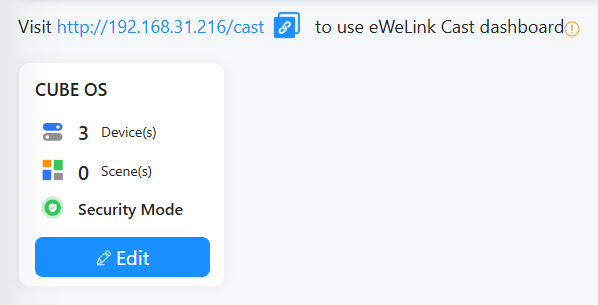
Możesz odwiedzić IP CUBE/cast, aby korzystać z pulpitu w dowolnej przeglądarce internetowej (na komputerze lub telefonie/tablecie).
{% endstep %}
{% endstepper %}
---
# Agent Instructions
This documentation is published with GitBook. GitBook is the documentation platform designed so that both humans and AI agents can read, navigate, and reason over technical content effectively. Learn more at gitbook.com.
## Querying This Documentation
If you need additional information that is not directly available in this page, you can query the documentation by asking a question.
Perform an HTTP GET request on the following URL with the `ask` and `goal` query parameters:
```
GET https://cube.ewelink.cc/english-pl/poznawanie-funkcji/panel-cast.md?ask=&goal=
```
`ask` is the immediate question: it should be specific, self-contained, and written in natural language.
`goal` is what the user is ultimately trying to achieve, the reason they need the answer. Sharing it helps GitBook give you a better, more relevant answer. A goal is most helpful when it describes the outcome the user wants rather than restating the question. For example, with `ask=how do I create an API token`, a goal like `automate deployments from our CI pipeline` lets GitBook tailor the answer to that use case.
The response will contain a direct answer to the question and relevant excerpts and sources from the documentation.
Use this mechanism when the answer is not explicitly present in the current page, you need clarification or additional context, or you want to retrieve related documentation sections.