> For the complete documentation index, see [llms.txt](https://cube.ewelink.cc/llms.txt). Markdown versions of documentation pages are available by appending `.md` to page URLs; this page is available as [Markdown](https://cube.ewelink.cc/english-it/per-iniziare/aggiungi-dispositivi/dispositivi-wi-fi-ewelink.md).
# Dispositivi Wi-Fi eWeLink
Molti dispositivi supportati da eWeLink, in particolare quelli che funzionano tramite Ethernet e Wi‑Fi, possono essere gestiti su CUBE OS. La maggior parte di essi funziona localmente con il tuo host CUBE OS, mentre altri richiedono l'accesso WAN a causa dei limiti del firmware e della progettazione del chipset.
I dispositivi gateway possono anche esporre i dispositivi supportati a CUBE OS come un ponte tra loro.
### Per utilizzare questa funzione:
1. Un dispositivo CUBE OS che esegue `v2.10.3` o successiva.
2. Accesso a Internet.
3. Un account eWeLink.
{% stepper %}
{% step %}
### Apri Aggiungi dispositivo
Apri CUBE OS nel tuo browser. Fai clic sul `+` pulsante nell'angolo in alto a destra. Quindi seleziona `Aggiungi dispositivo`.
{% endstep %}
{% step %}
### Aggiungi dispositivi collegati a eWeLink
Nella **Aggiungi dispositivo** pagina, fai clic su `Aggiungi dispositivi collegati a eWeLink`. Il componente aggiuntivo eWeLink Smart Home integrato si aprirà direttamente.
{% endstep %}
{% step %}
### Accedi al tuo account eWeLink
Fai clic sul pulsante di accesso nell'angolo in alto a destra. Inserisci il tuo account e la tua password eWeLink per accedere.
{% endstep %}
{% step %}
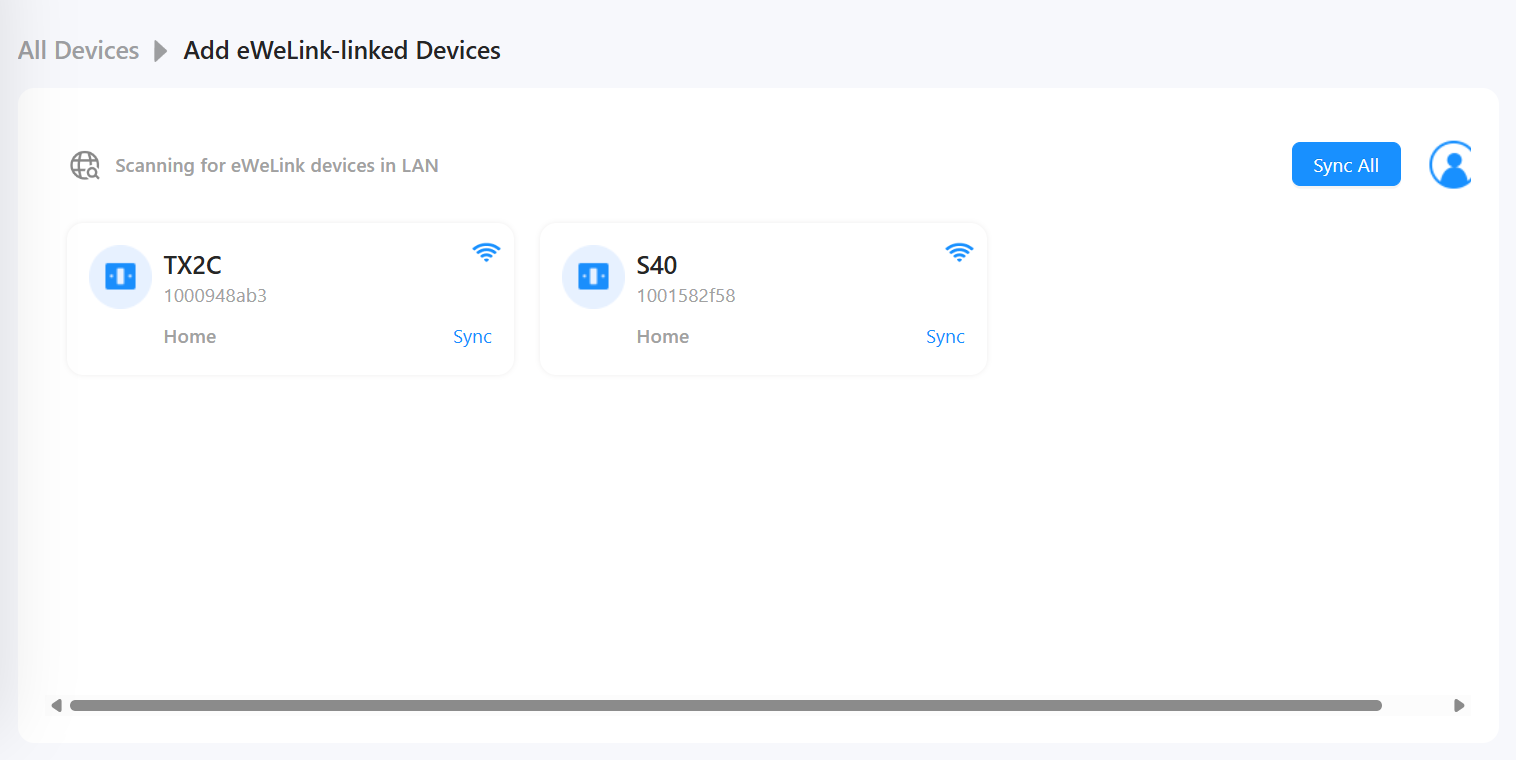
### Sincronizza dispositivi
Dopo l'accesso, verranno elencati i tuoi dispositivi Wi‑Fi eWeLink supportati. Fai clic su `Sincronizza` per importare in CUBE OS i dispositivi che desideri.
Dopo la sincronizzazione, torna a **Tutti i dispositivi** per assegnare le stanze e rinominare i dispositivi.
{% endstep %}
{% endstepper %}
{% hint style="info" %}
In `CUBE v2.10.3` e versioni successive, eWeLink Smart Home è integrato. Non è necessario installarlo prima dalla pagina Docker.
{% endhint %}
---
# Agent Instructions
This documentation is published with GitBook. GitBook is the documentation platform designed so that both humans and AI agents can read, navigate, and reason over technical content effectively. Learn more at gitbook.com.
## Querying This Documentation
If you need additional information that is not directly available in this page, you can query the documentation by asking a question.
Perform an HTTP GET request on the following URL with the `ask` and `goal` query parameters:
```
GET https://cube.ewelink.cc/english-it/per-iniziare/aggiungi-dispositivi/dispositivi-wi-fi-ewelink.md?ask=&goal=
```
`ask` is the immediate question: it should be specific, self-contained, and written in natural language.
`goal` is what the user is ultimately trying to achieve, the reason they need the answer. Sharing it helps GitBook give you a better, more relevant answer. A goal is most helpful when it describes the outcome the user wants rather than restating the question. For example, with `ask=how do I create an API token`, a goal like `automate deployments from our CI pipeline` lets GitBook tailor the answer to that use case.
The response will contain a direct answer to the question and relevant excerpts and sources from the documentation.
Use this mechanism when the answer is not explicitly present in the current page, you need clarification or additional context, or you want to retrieve related documentation sections.