> For the complete documentation index, see [llms.txt](https://cube.ewelink.cc/llms.txt). Markdown versions of documentation pages are available by appending `.md` to page URLs; this page is available as [Markdown](https://cube.ewelink.cc/english-it/esplorazione-delle-funzionalita/dashboard-cast.md).
# Dashboard Cast
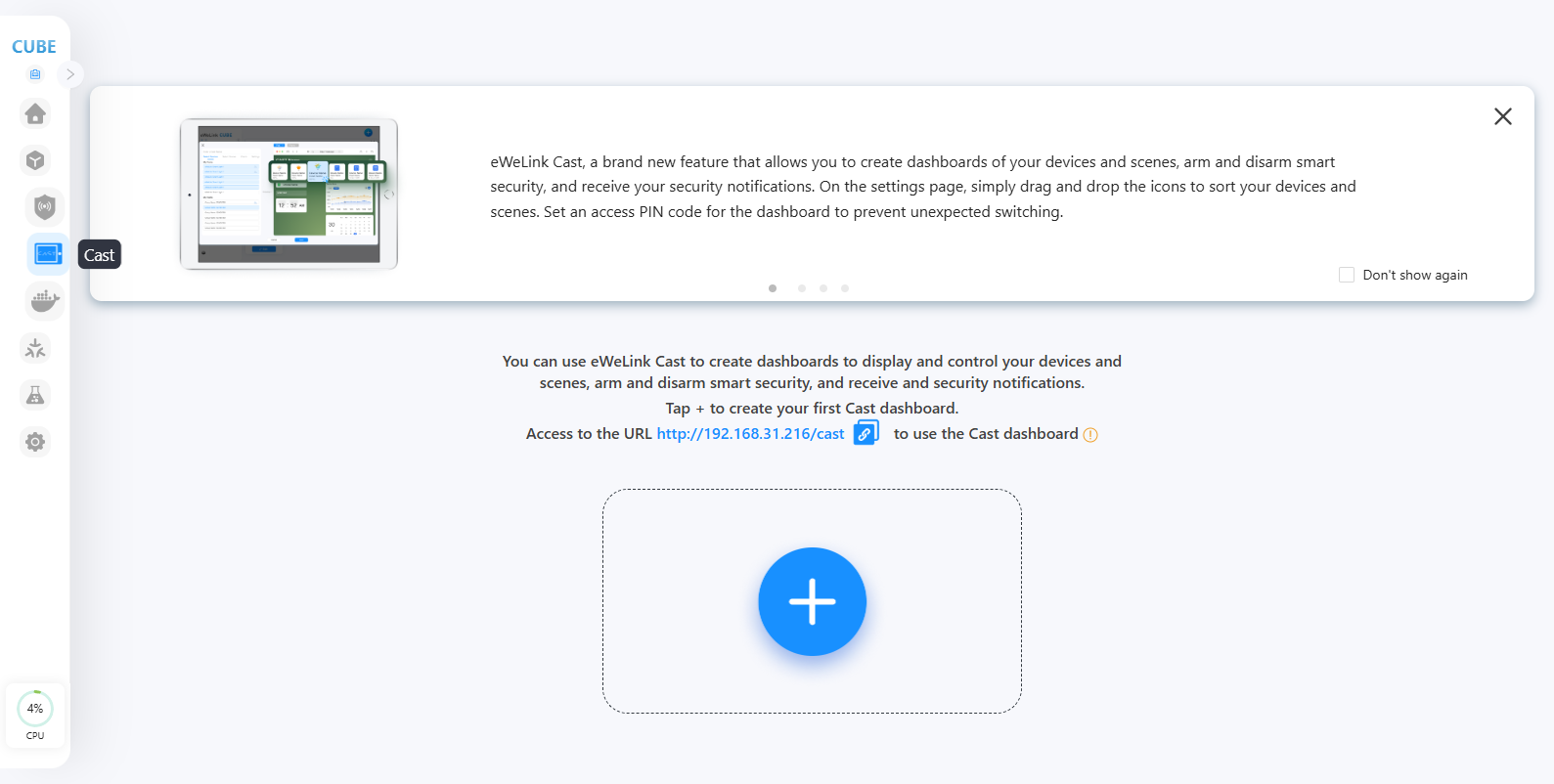
Cast ti consente di creare dashboard dei tuoi dispositivi e scene, attivare e disattivare la sicurezza intelligente e ricevere le tue notifiche di sicurezza. Nella pagina delle impostazioni, trascina e rilascia semplicemente le icone per ordinare i tuoi dispositivi e scene. Imposta un codice PIN di accesso per la dashboard per evitare cambiamenti imprevisti.
## **Crea la tua dashboard CAST**
{% stepper %}
{% step %}
Visita CUBE OS tramite browser. Clicca sul menu CAST sul lato sinistro.
{% endstep %}
{% step %}
Clicca il pulsante '+' per creare una nuova dashboard.
{% endstep %}
{% step %}
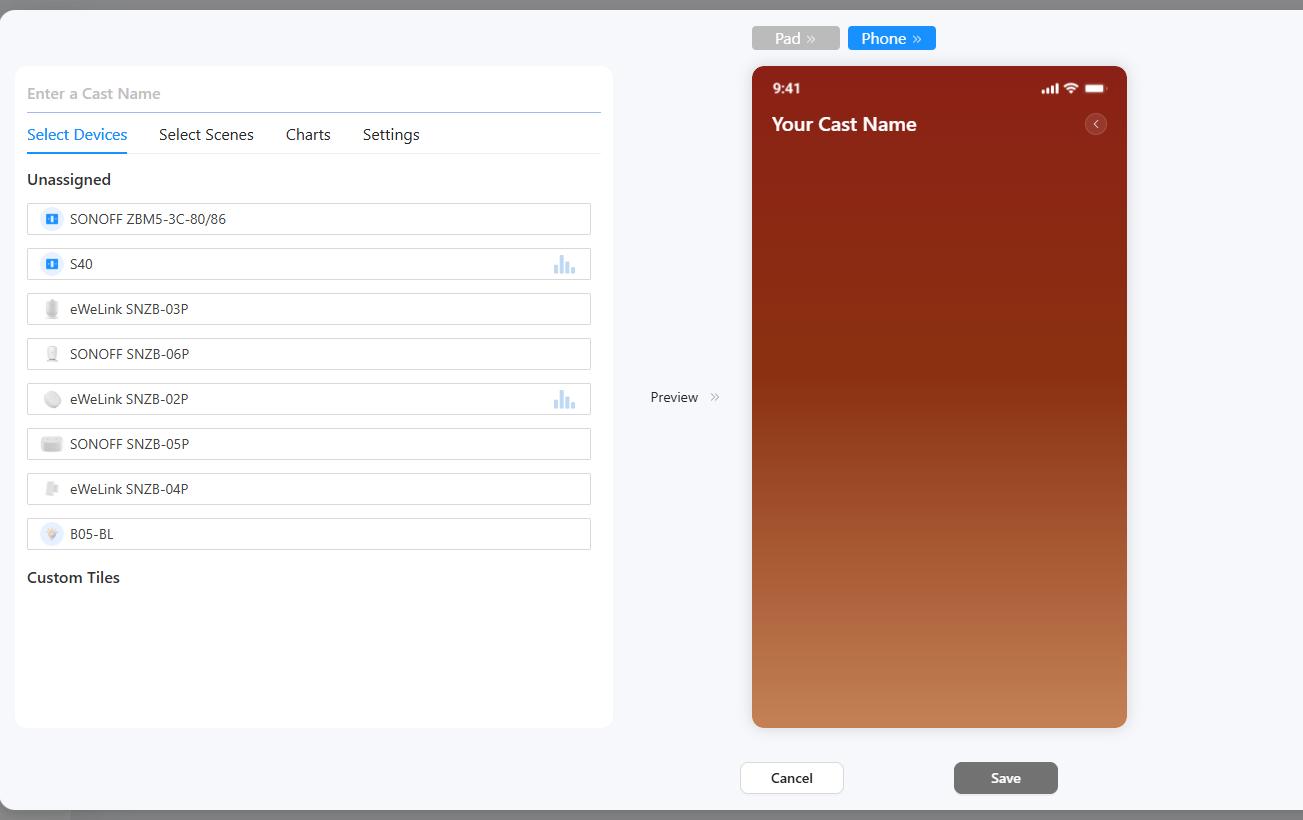
Inserisci un nome per la dashboard, seleziona i tuoi dispositivi, le scene manuali e i grafici.
{% endstep %}
{% step %}
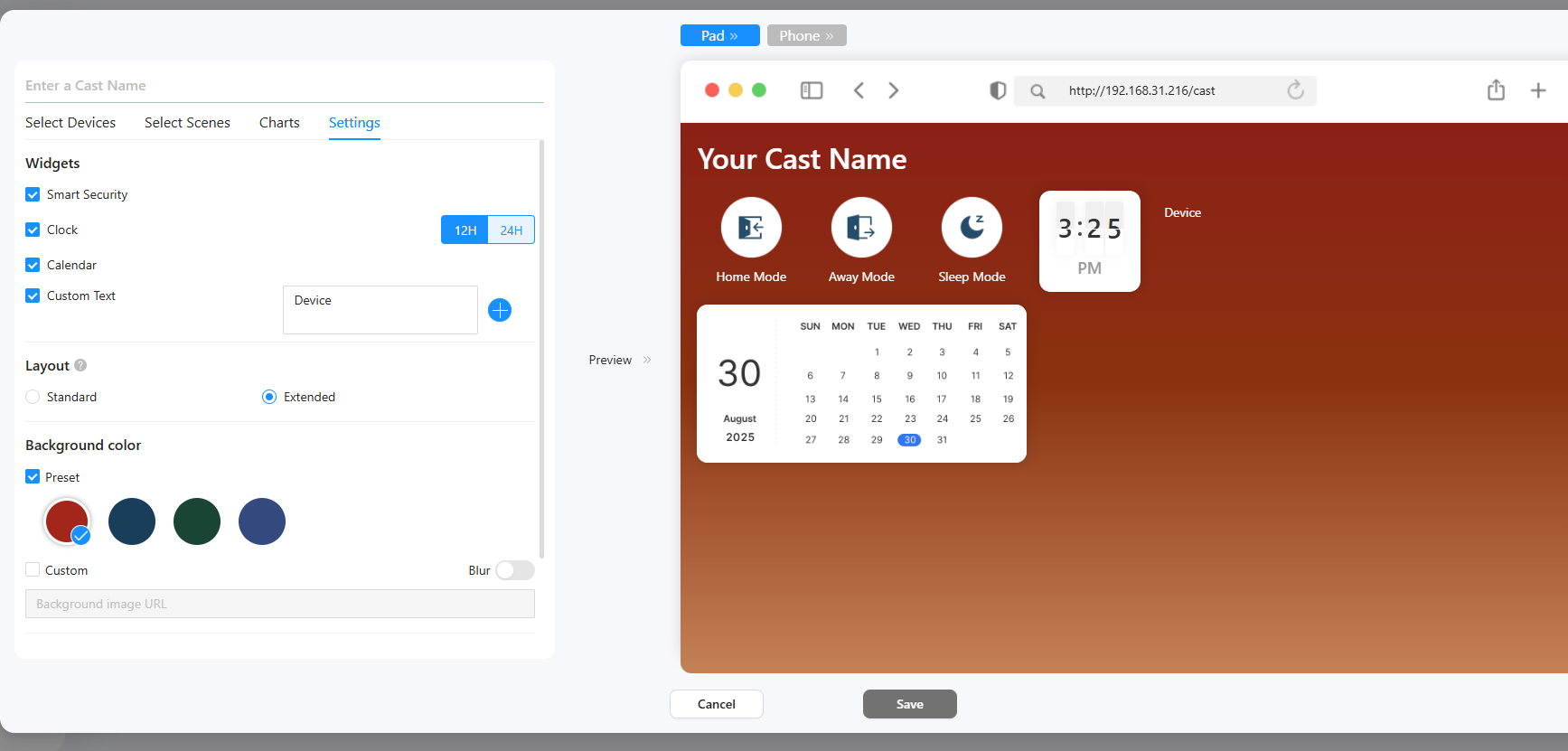
Nella scheda impostazioni, seleziona i widget di cui hai bisogno.
* Per il Testo personalizzato, inserisci il tuo testo nella casella di testo.
* Layout pad CAST estesi per un'esperienza di dashboard più flessibile.
* Seleziona un colore di sfondo per la dashboard.
* Imposta un codice PIN per la dashboard se necessario. (Se impostato, quando entri o esci dalla dashboard devi inserire il codice PIN.)
{% endstep %}
{% step %}
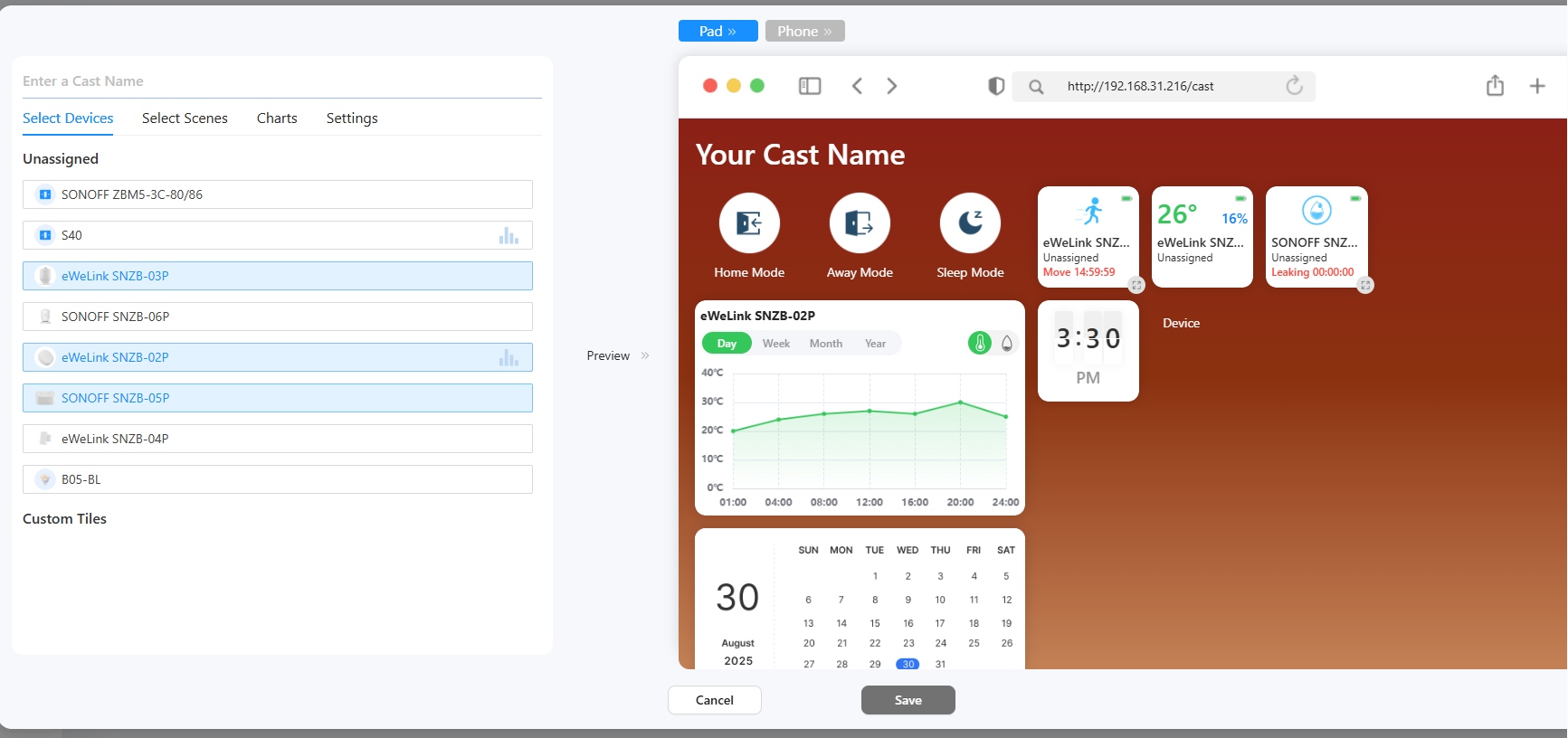
Nell'area di anteprima, trascina e rilascia le tessere per organizzarle. E clicca l'icona di ridimensionamento per passare tra diverse dimensioni.
{% endstep %}
{% step %}
Clicca il pulsante Salva e la dashboard verrà creata.
{% endstep %}
{% step %}
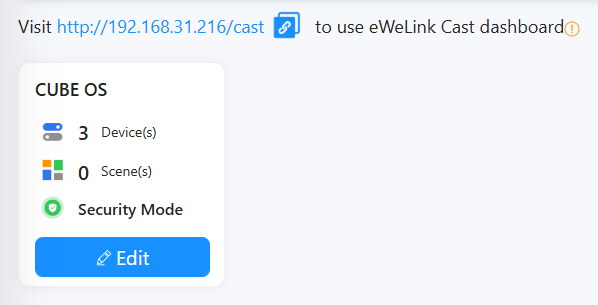
Puoi visitare l'IP di CUBE/cast per usare la dashboard su qualsiasi browser web (su PC o telefono/tablet).
{% endstep %}
{% endstepper %}
---
# Agent Instructions
This documentation is published with GitBook. GitBook is the documentation platform designed so that both humans and AI agents can read, navigate, and reason over technical content effectively. Learn more at gitbook.com.
## Querying This Documentation
If you need additional information that is not directly available in this page, you can query the documentation by asking a question.
Perform an HTTP GET request on the following URL with the `ask` and `goal` query parameters:
```
GET https://cube.ewelink.cc/english-it/esplorazione-delle-funzionalita/dashboard-cast.md?ask=&goal=
```
`ask` is the immediate question: it should be specific, self-contained, and written in natural language.
`goal` is what the user is ultimately trying to achieve, the reason they need the answer. Sharing it helps GitBook give you a better, more relevant answer. A goal is most helpful when it describes the outcome the user wants rather than restating the question. For example, with `ask=how do I create an API token`, a goal like `automate deployments from our CI pipeline` lets GitBook tailor the answer to that use case.
The response will contain a direct answer to the question and relevant excerpts and sources from the documentation.
Use this mechanism when the answer is not explicitly present in the current page, you need clarification or additional context, or you want to retrieve related documentation sections.