> For the complete documentation index, see [llms.txt](https://cube.ewelink.cc/llms.txt). Markdown versions of documentation pages are available by appending `.md` to page URLs; this page is available as [Markdown](https://cube.ewelink.cc/blog/add-your-devices-into-apple-home/sensor-snzb-sensors.md).
# Sensor - SNZB Sensors
You've probably already seen how we've connected **switches, plugs, and lights** like the **SONOFF TX**, **S40**, and **B05-BL** to Apple Home through the **CUBE OS Matter Bridge** - all working smoothly and locally across Apple's ecosystem.
Now, it's time to explore how **sensor-type Zigbee devices** perform in Apple Home when bridged through CUBE OS.\
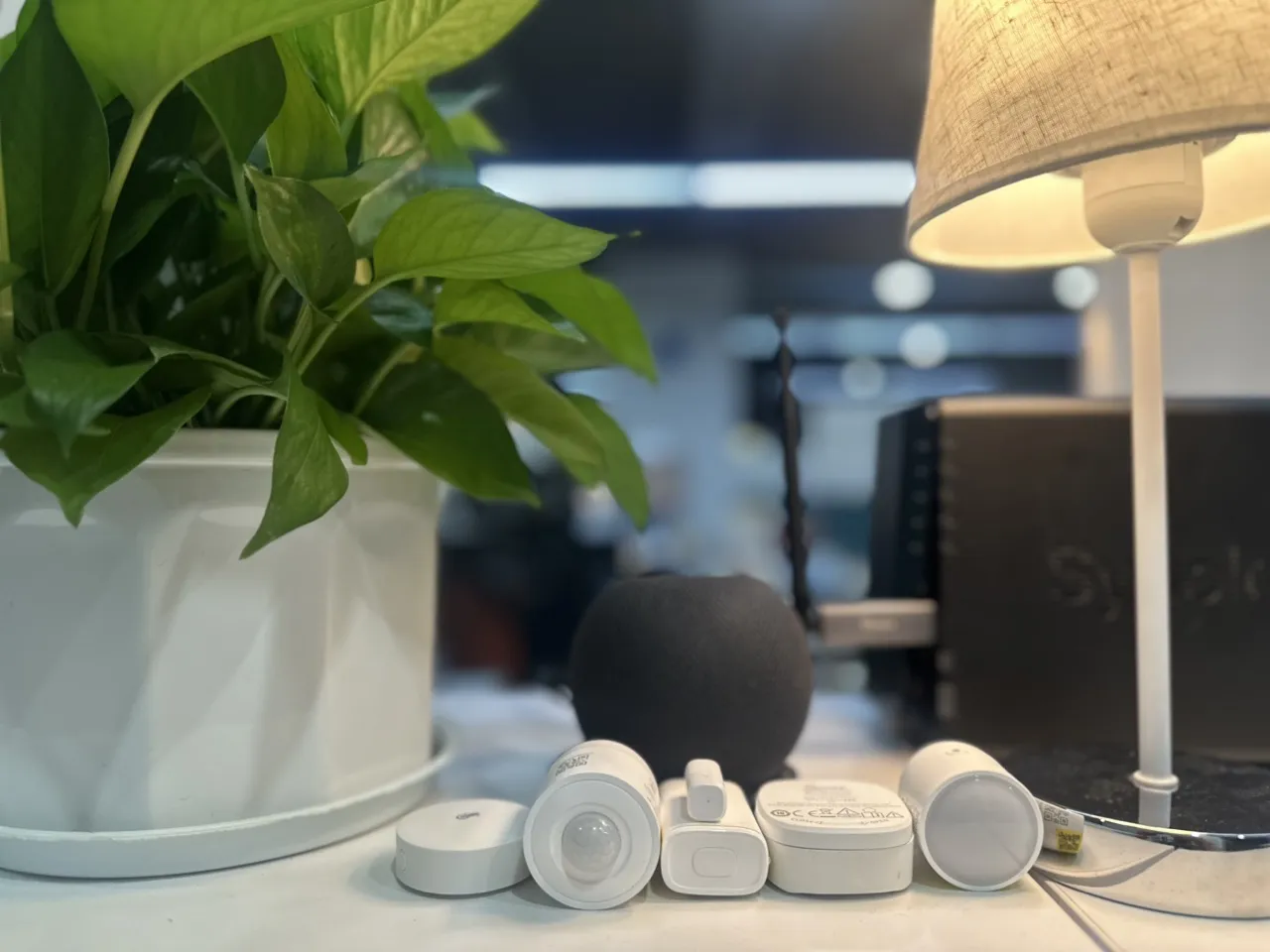
In this post, we'll walk through a hands-on test featuring the following SONOFF Zigbee sensors:
| Device | Type | Function |
| ------------------------------------------------------------------------------------------------------------ | ----------------------------- | --------------------------- |
| [**SNZB-02P**](https://sonoff.tech/en-us/products/sonoff-zigbee-temperature-and-humidity-sensor-snzb-02p/58) | Temperature & Humidity Sensor | Measures ambient conditions |
| [**SNZB-03P**](https://sonoff.tech/en-us/products/sonoff-zigbee-motion-sensor-snzb-03p/58) | Motion Sensor | Detects movement |
| [**SNZB-04P**](https://sonoff.tech/en-us/products/sonoff-zigbee-door-window-sensor-snzb-04p/58) | Door/Window Sensor | Detects open/close status |
| [**SNZB-05P**](https://sonoff.tech/en-us/products/sonoff-zigbee-water-leak-sensor-snzb-05p/58) | Water Leak Sensor | Detects moisture presence |
| [**SNZB-06P**](https://sonoff.tech/en-us/products/sonoff-zigbee-human-presence-sensor-snzb-06p/58) | Human Presence Sensor | Detects occupancy |
**Check the compatibility of Zigbee Sub-devices on your hand:**
[cube-web.ewelink.cc](https://cube-web.ewelink.cc)
## **Setup Steps**
Just follow the same steps as in the Getting Started guide:\
Power up your sensors → pair them to **CUBE OS** via a **Zigbee Dongle** → enable the **Matter Bridge** → scan the QR code to add everything into **Apple Home**.
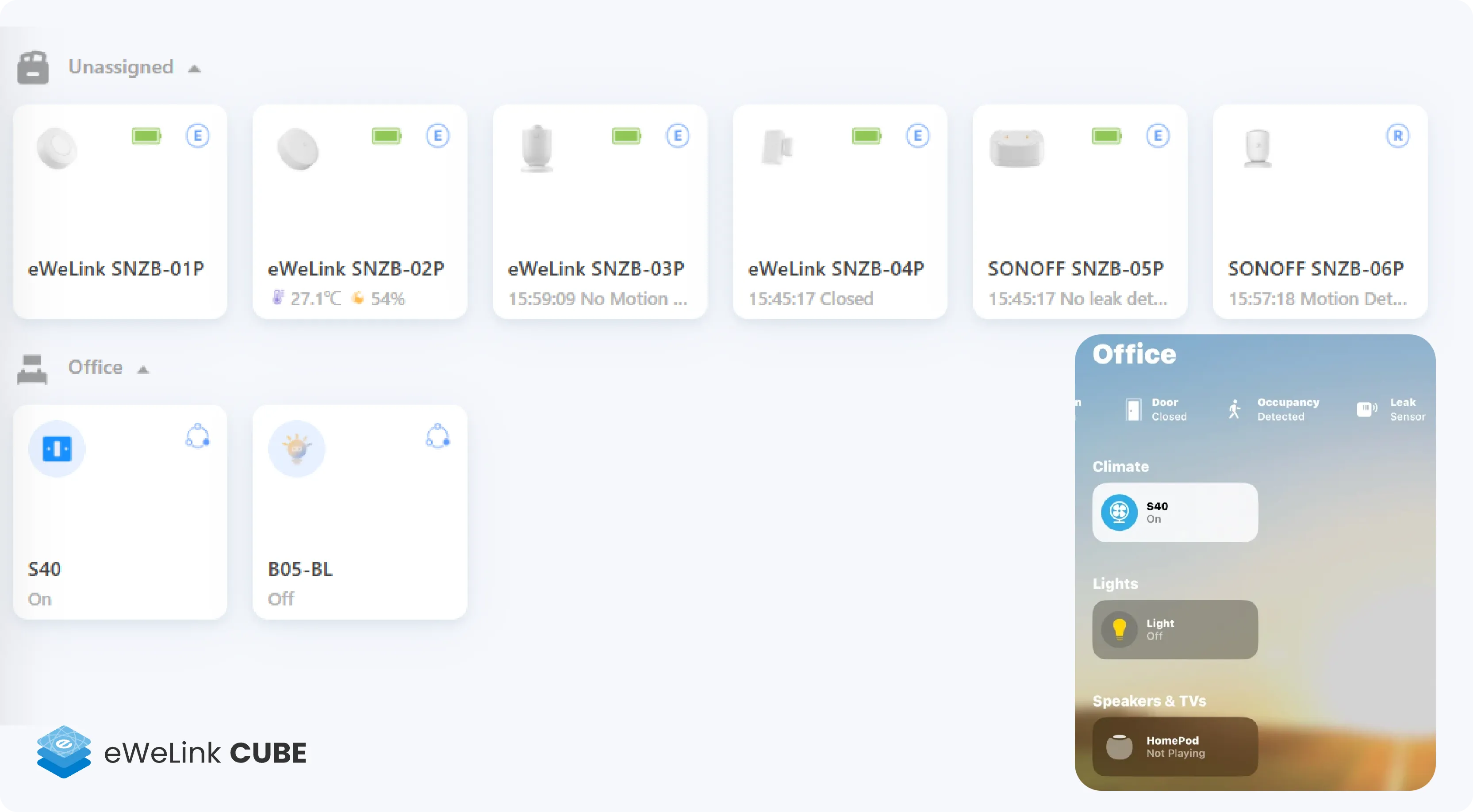
All paired sensors will appear automatically under their respective categories.
## **Apple Home Experience**
Here's how each sensor type behaves inside Apple Home via CUBE OS Matter Bridge:
| Sensor | Display in Apple Home | Automation Support | Notes |
| ------------------------------ | ------------------------------ | ------------------ | -------------------------------------------- |
| **SNZB-02P (Temp & Humidity)** | Temperature shown in real-time | ✅ Yes | Humidity value display may vary |
| **SNZB-03P (Motion Sensor)** | Detects motion events | ✅ Yes | May show as basic occupancy status currently |
| **SNZB-04P (Door/Window)** | Shows open/close status | ✅ Yes | Excellent trigger performance |
| **SNZB-05P (Water Leak)** | Displays “Wet/Dry” status | ✅ Yes | Instant alert on leak detection |
| **SNZB-06P (Presence Sensor)** | Detects occupancy state | ✅ Yes | May show as basic occupancy status currently |
## **Automation Example**
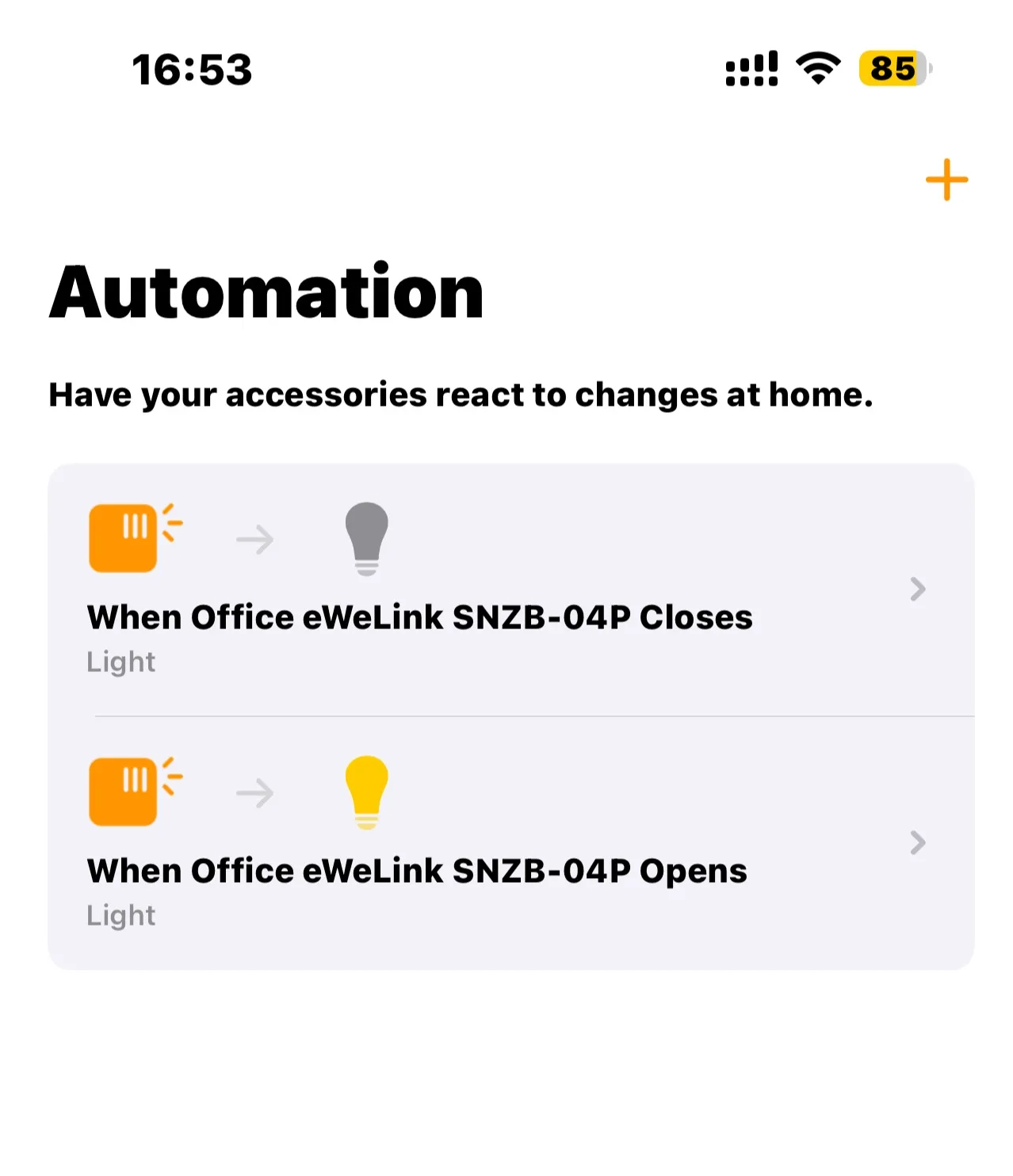
Let's create a simple automation to see it in action:
When the **SNZB-04P Door Sensor** detects the door opening → turn on the **B05-BL smart bulb** instantly.
The automation setup in Apple Home is straightforward, and the response is nearly instant.\
It feels just like using native HomeKit accessories - all **local, fast, and reliable**.
***
## **Summary: Sensor Experience in Apple Home**
| **Tested On** | **Result** |
| ------------- | ------------------------------------------------- |
| iPhone / iPad | ✅ Displayed & responsive |
| Apple Watch | ✅ Displayed & trigger available |
| HomePod mini | ✅ Recognizes sensor triggers via Siri automations |
Overall, these SONOFF Zigbee sensors perform **surprisingly well** in Apple Home through the CUBE OS Matter Bridge - stable connection, minimal delay, and seamless integration with Apple's automation system.
💡 **If you're already running CUBE OS**, try adding your Zigbee sensors and see how they bring your smart home automations to life in Apple Home - no cloud, no YAML, just local control made simple.
---
# Agent Instructions
This documentation is published with GitBook. GitBook is the documentation platform designed so that both humans and AI agents can read, navigate, and reason over technical content effectively. Learn more at gitbook.com.
## Querying This Documentation
If you need additional information that is not directly available in this page, you can query the documentation dynamically by asking a question.
Perform an HTTP GET request on the current page URL with the `ask` query parameter, and the optional `goal` query parameter:
```
GET https://cube.ewelink.cc/blog/add-your-devices-into-apple-home/sensor-snzb-sensors.md?ask=&goal=
```
`ask` is the immediate question: it should be specific, self-contained, and written in natural language.
`goal` is optional and describes the broader end goal you are ultimately trying to accomplish on behalf of the user. GitBook uses it to tailor the answer towards what is most useful for that goal.
The response will contain a direct answer to the question and relevant excerpts and sources from the documentation.
Use this mechanism when the answer is not explicitly present in the current page, you need clarification or additional context, or you want to retrieve related documentation sections.
.gif?alt=media&token=6f5bc638-3821-4777-b04b-325dd60e50f1)